Fixed Frame vs Motorized Screens: Choosing the Right Mount
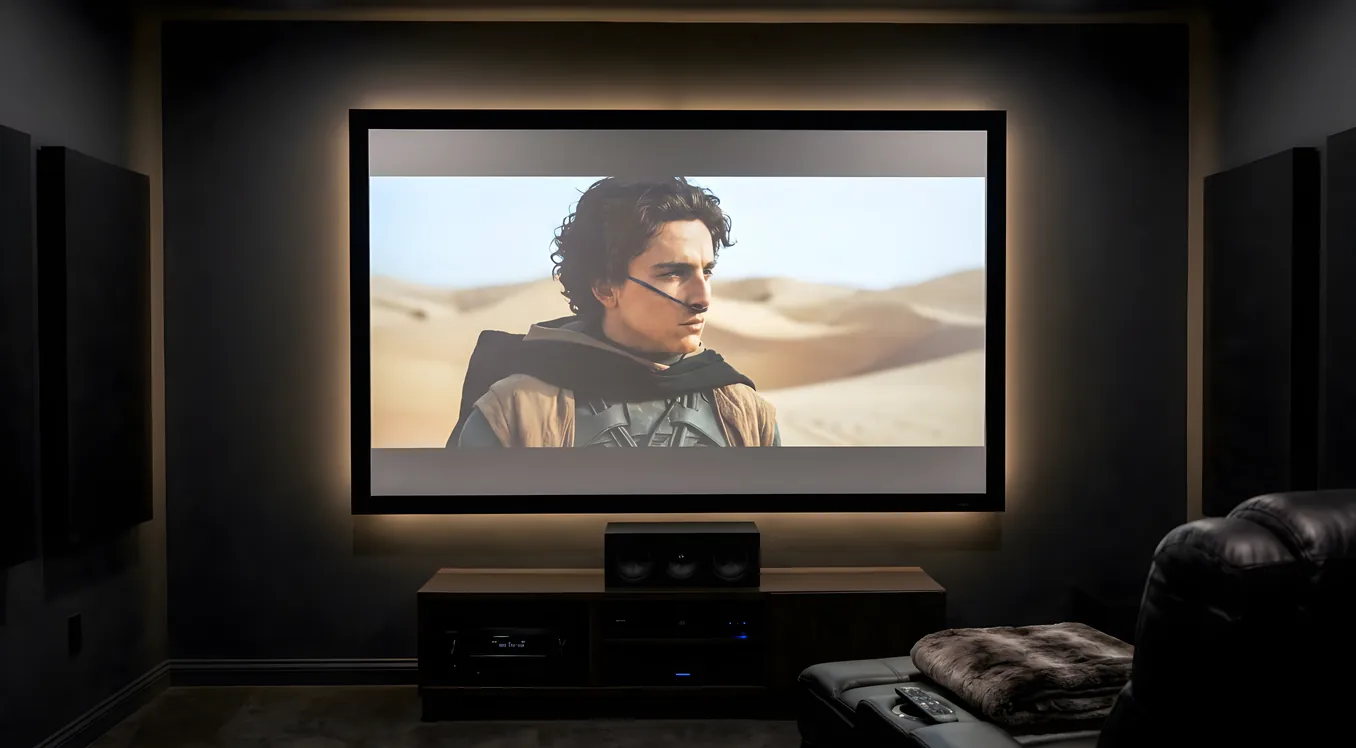
A projection screen is not a passive piece of gear. It shapes image quality, determines how a room functions when the projector is off, and sets a ceiling on how much you can spend on the rest of the system before the screen becomes the bottleneck. The choice between a fixed frame and a motorized screen is one of the first decisions you make, and it touches everything downstream.
This guide covers what actually differentiates the two types, where each one earns its price, and how to match the decision to your room.
How Fixed Frame Screens Work
A fixed frame screen stretches its material over a rigid aluminum perimeter and mounts permanently to the wall. The surface never moves. That rigidity is its core advantage: tension is uniform across the entire fabric, and there are no mechanical parts to introduce variation over time.
For image quality, a perfectly flat screen matters more than most buyers realize. Even minor waves or sags in the surface create micro-variations in gain, causing hot spots and inconsistent reflectivity across the image. Fixed frame screens from manufacturers like Screen Innovations, Stewart Filmscreen, and Elite Screens hold their surface tolerances far better than anything that rolls up and down repeatedly.
The typical fixed frame from Elite starts around $150 for a 100-inch entry-level model and scales up to $800-$1,200 for their larger or ambient-light-rejecting options. Stewart Filmscreen and Screen Innovations sit at the premium tier, with 110-inch models often running $1,500 to $4,000 or more depending on material. That price pays for screen gain precision, off-axis color fidelity, and materials tested against specific projector types.
Fixed frames pair well with projection screens in the ALR (ambient light rejecting) category, since those materials are typically stiffer and benefit from permanent tensioning. They also work better with 4K projectors where even small surface imperfections become visible at pixel densities that tight.
The tradeoff is obvious: a fixed frame screen is always visible. In a dedicated theater with controlled lighting, that is not a problem. The screen becomes part of the room’s design, often framed with black masking borders that set it off visually. In a shared living space, a 110-inch white rectangle on the wall tends to dominate.
How Motorized Screens Work
A motorized screen stores its surface in a cassette housing, either recessed into the ceiling or surface-mounted just above where the screen will deploy. An electric motor unrolls the material on command and retracts it when you are done.
The control options have expanded considerably over the past decade. Basic models respond to an IR remote or a wall keypad. Better models include RS-232 serial control, which lets an AV processor or control system trigger the screen as part of an automated scene. Many also support a 12V trigger output directly from an AV receiver: when the receiver powers on, the screen drops; when it powers off, the screen retracts. For anyone building a smart home theater automation routine, the 12V trigger is the simplest reliable integration.
Elite Screens, Da-Lite, and Screen Innovations all make well-regarded motorized lines. The Screen Innovations Solo is a battery-powered motorized screen with no hardwired motor, which eliminates the need to run power to the ceiling cassette. It uses a rechargeable battery pack built into the housing. For retrofit installs where running cable to the ceiling would require opening walls, this is a practical solution.
Pricing for motorized screens spans a wide range. A 100-inch in-ceiling motorized from Elite runs $400-$700 for a standard-gain white material. Da-Lite’s commercial-grade motorized screens start around $600 and climb past $2,000 for large formats or specialty materials. Surface-mount cassette versions cost less to install than recessed in-ceiling models since they require no framing work, though they remain visible as a housing unit above the screen drop zone.
Tab-Tensioned vs Standard Motorized
This distinction matters more than most buyers investigate before purchasing. A standard motorized screen has no mechanism to keep the edges taut. As the material ages, or even from day one on lower-quality screens, the fabric develops vertical wave patterns along the surface, particularly near the bottom third. These waves create visible image distortion.
Tab-tensioned motorized screens add thin cables along each side edge that pull the fabric laterally as it deploys. The material stays flat in a way that approaches (but does not quite match) a fixed frame. Tab-tensioned versions cost roughly 30-50% more than equivalent non-tensioned models, but for any screen larger than 100 inches or any installation where image quality is the priority, the additional cost is justified.
Da-Lite’s Tensioned Advantage and Elite’s Evanesce tensioned in-ceiling series are well-established in this category. Screen Innovations’ motorized offerings include tensioned options as well.
In-Ceiling Recessed vs Surface-Mount Cassette
Recessed installation hides the cassette entirely inside the ceiling. A small slot, typically 3-4 inches wide, is cut into the drywall and the housing sits above it, flush with the ceiling plane. The result is clean, architectural, and completely invisible when the screen is retracted.
The installation cost is significant. Cutting into a finished ceiling means drywall work, and in many rooms means dealing with joists, HVAC ducts, or electrical runs. Budget $500-$1,200 for professional installation of an in-ceiling unit, more if wall or ceiling reinforcement is needed.
Surface-mount cassette screens install below the ceiling plane. The housing box hangs from the ceiling and is visible as a rectangular tube even when the screen is retracted. Many cassettes come in white or black and are designed to be visually unobtrusive, but they cannot disappear the way a recessed install does. The payoff is simpler installation: typically four mounting points and a power connection.
For new construction or a room under renovation, the in-ceiling option is worth the effort. For an existing finished room, a surface-mount cassette or the Screen Innovations Solo with its battery pack often makes more practical sense.
Control Integration in Practice
The 12V trigger remains the most widely used automation interface for screens in home theater builds. Most AV receivers include one or more 12V trigger outputs, and the screen connects directly with a standard 3.5mm mono cable. No programming required.
RS-232 control adds bidirectional communication, meaning your control system can query the screen’s position and confirm it is fully deployed before switching on the projector. This matters in automated rooms where you want the projector to wait for the screen to finish dropping before the image appears. Control4, Savant, and Crestron all have drivers for major screen brands, and RS-232 commands are well-documented by Da-Lite, Elite, and Screen Innovations.
IR control is the fallback for simple rooms and is fine for manual use, but IR cannot be reliably automated without a discrete IR distribution system. If your room already has IR distribution, this is a non-issue. For most installs, 12V trigger or RS-232 is more dependable.
Price Ranges Side by Side
The table below reflects current market pricing for a 110-inch diagonal screen across the main configurations:
| Type | Price Range |
|---|---|
| Fixed frame, standard white | $200 - $800 |
| Fixed frame, ALR material | $600 - $2,500 |
| Fixed frame, premium (Stewart, SI) | $1,500 - $4,500+ |
| Motorized surface-mount, standard | $400 - $1,000 |
| Tab-tensioned motorized, in-ceiling | $700 - $2,000 |
| Screen Innovations Solo (battery motorized) | $900 - $1,800 |
Installation adds to motorized costs. Fixed frames typically require two people for 45-90 minutes of work. In-ceiling motorized screens can involve a full day of professional installation.
Making the Decision
The decision comes down to how the room is used when the projector is off.
A room used exclusively for home theater watching, with no other regular function, should have a fixed frame screen. The image quality is better, the setup is simpler and more reliable over time, and there is nothing to motor out or retract. Every dollar that would have gone toward motorization goes into better screen material instead.
A shared living room, a multi-use media room, or a bedroom where a large screen would dominate the space is a natural fit for a motorized screen. The ability to retract the surface restores the room to its other functions. A family room can be a family room until it is time for a movie; then the screen drops and the room transforms. The mechanical complexity is the cost of that flexibility, and for multipurpose spaces, it is worth it.
Where both feel right, consider the room’s furniture and traffic patterns. A fixed frame that sits directly in a conversation path makes the room awkward. A motorized screen that drops 8 inches in front of a window makes the room dark at movie time in a useful way. Physical constraints often decide the question before budget does.