Home Theater Projection Screens: Materials, Types, and Sizing
A home theater projection screen is the single surface where everything else in your setup either succeeds or falls apart. The projector, the room acoustics, the seating layout — all of it feeds into what ultimately hits the screen. Choose wrong and you’re fighting washed-out images, hot spots, or a screen that physically fights your room’s ambient light. Choose right and a $1,500 projector can produce a picture that embarrasses a $3,000 flat panel.
This guide covers every screen type you’ll encounter, explains gain from first principles, walks through standard sizing for common aspect ratios, and gives you honest price expectations from budget builds to reference-level installations.
Screen Types: Fixed Frame, Motorized, and Everything Between
The first decision is structural: how does the screen live in the room?
Fixed frame screens are exactly what the name says. A rigid aluminum frame holds the screen material under tension, and it stays in that spot permanently. Because there are no moving parts, fixed frames deliver the flattest possible surface, which is the single biggest factor in image uniformity. Any bow or ripple in the screen material creates distortion the projector can’t correct. Fixed frames eliminate that variable.
For dedicated home theater rooms where the screen is the dominant wall feature, fixed frame is almost always the right call. They’re also the easiest to install correctly: mount the frame, stretch the material, done. The fixed vs motorized screens comparison goes deeper on the tradeoffs if you’re genuinely undecided.
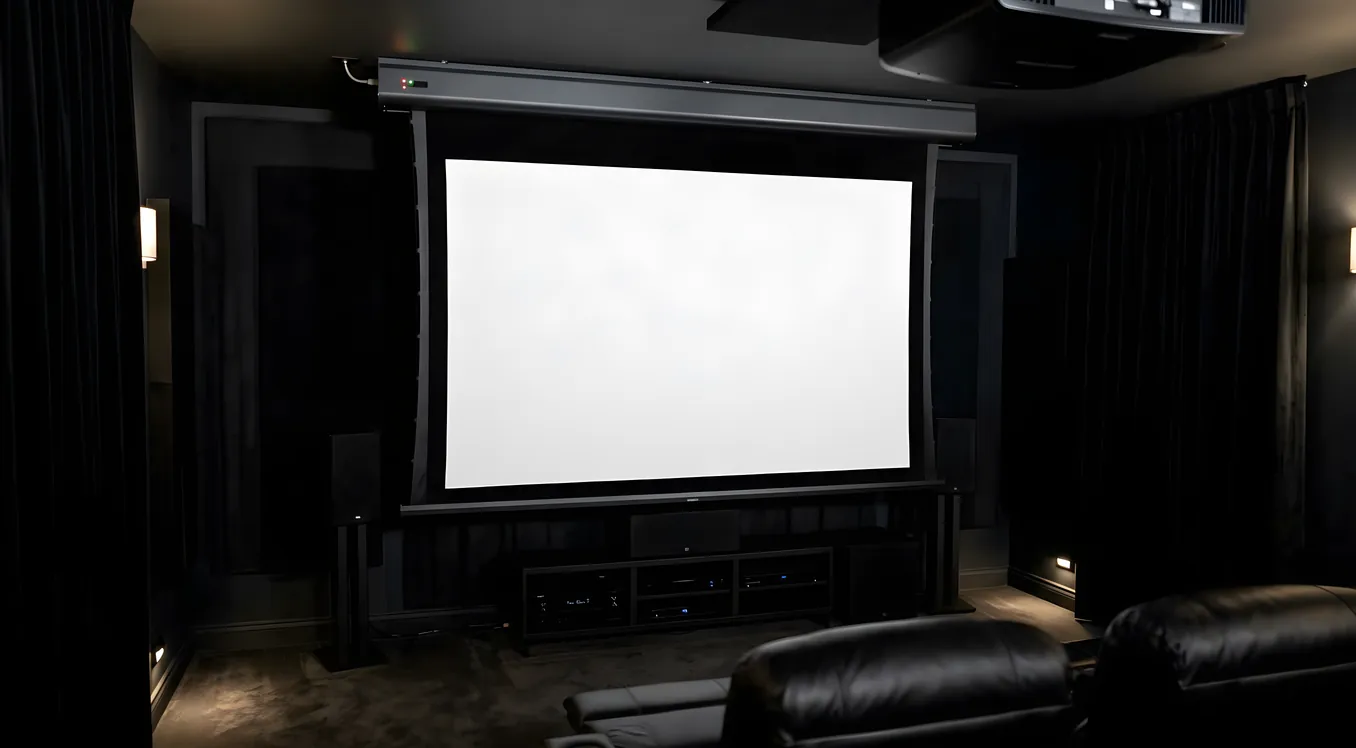
Motorized retractable screens roll up into a housing mounted at the ceiling or inside a ceiling recess. Press a button and the screen descends; press it again and it disappears. The use case is rooms that serve multiple purposes: a living room that becomes a theater at night, a conference room that needs to function as a presentation space by day. The compromises are real. Motorized screens cost significantly more than equivalent fixed frames, the material can develop waves or tracking issues over time, and the motor housing adds a permanent ceiling fixture even when the screen is retracted.
Manual pull-down screens are the budget-tier version of the same concept. You pull the screen down by hand and a spring-lock holds it in position. They’re fine for occasional use and common in classrooms and boardrooms. For a home theater where you’re watching movies regularly, the pull-down mechanism introduces enough flatness inconsistency to be noticeable.
Floor-rising screens store in a low-profile cabinet on the floor and rise upward when deployed. They solve one specific problem: rooms with ceiling obstructions, drop ceilings, or HVAC that make overhead mounting impractical. The image quality tradeoffs are similar to motorized ceiling screens, and they tend to cost more for equivalent size.
ALR (Ambient Light Rejecting) screens are a category defined by optical behavior rather than form factor. They can be fixed frame, motorized, or roll-up. What makes them ALR is a specialized surface that reflects light arriving from the projector’s direction while absorbing or rejecting light coming from other angles — ceiling fixtures, windows, lamps. The full breakdown of how this works and which ALR constructions perform best is in the ALR screens guide. For rooms where controlling ambient light is impossible or impractical, ALR screens are not optional.
Screen Materials: Gain, Color, and Acoustic Transparency
Screen material determines gain, color accuracy, viewing angle, and whether you can mount speakers behind the screen. These are not minor variables.
Gain Explained
Gain is a ratio comparing how much light a screen reflects relative to a standard matte white reference surface (gain 1.0). A screen with 1.3 gain reflects 30% more light back at the viewer than that reference, measured on-axis (directly in front of the screen). A screen with 0.8 gain reflects less.
Higher gain sounds better on paper. It is not always better in practice.
The catch is viewing angle. Gain above 1.0 is achieved by concentrating reflected light toward the center of the viewing zone. As you move off-axis, brightness drops off faster than it would on a flat white surface. A 1.5 gain screen might look spectacular from the center seat and noticeably dimmer three seats to the left. This effect is called “hot spotting” at its extreme.
For a room where all seating is within 15-20 degrees of the screen’s center axis, higher gain screens (1.3-1.5) can be used well. For wide seating arrangements, anything above 1.1 gain becomes a liability.
Matte white (1.0-1.3 gain) is the baseline material. It scatters light broadly, maintains color accuracy, and has the widest viewing angles of any screen type. If your room has good light control and your projector produces adequate brightness for your screen size (more on that below), matte white is the technically correct choice. The surface is forgiving of projector placement, and color reproduction is accurate because you’re not introducing directional optical processing. Budget matte white screens from Elite Screens or Silver Ticket start around $150-200 for 100-inch sizes. Premium matte white from Stewart Filmscreen or Screen Innovations runs $1,500-4,000 for the same size, with better frame construction, tighter weave, and more consistent gain uniformity.
Gray screens (0.8-1.0 gain) do something counterintuitive: they reflect less total light but produce better perceived contrast in rooms with moderate ambient light. The gray base raises the apparent black level of the screen uniformly, which makes the projector’s black-to-white contrast ratio appear better than it would on a white surface in the same conditions. If you’re running a projector with a native contrast ratio under 2,000:1, a gray screen often produces more satisfying images than a white one despite the lower gain number. The tradeoff is that you need a brighter projector to compensate for the lower reflectivity.
ALR materials come in two main constructions. Retroreflective ALR (common in tab-tensioned roll-up screens) uses a surface of tiny retroreflective beads that preferentially return light to its source direction. Optical-stack ALR (found in premium fixed-frame screens) uses layered optical films with different refractive indices to achieve angular selectivity. Both achieve similar functional results. Optical-stack materials typically perform better in rooms with overhead lighting, while retroreflective materials are optimized for front-and-center projector setups.
Acoustically transparent screens allow sound from behind-screen speakers to pass through the material with minimal attenuation and coloration. This matters when you want your front speakers (especially the center channel, which carries dialogue) positioned directly behind the screen at accurate height, rather than above or below it. Two constructions exist: woven AT screens (like Stewart Filmscreen’s Studiotek AT or Screen Innovations’ Zero-G) use a perforated weave pattern visible under magnification but invisible at viewing distance. Perforated AT screens use micro-perforations punched through a solid material. Woven screens generally pass audio more cleanly; perforated screens can introduce a slight diffraction effect at high frequencies. Either way, an AT screen absorbs 10-15% of light versus a non-AT version of the same material, which needs to be factored into projector brightness calculations.
Brands Worth Knowing
Stewart Filmscreen sits at the top of the reference tier. Their Studiotek 130 G4 (1.3 gain) and Studiotek 100 G4 (1.0 gain) are the materials calibrators use as baselines. Frames are custom-manufactured, lead times are long, and prices reflect both. Expect $3,000-8,000+ for typical home theater sizes.
Screen Innovations competes at the reference level with strong ALR offerings. Their Black Diamond series is widely used in high-ambient-light installations. Zero-G is a standout acoustically transparent option. Pricing is similar to Stewart.
Da-Lite is the institutional standard — universities, corporate boardrooms, government facilities. Their residential products are solid and often available at better prices than Stewart or SI for comparable materials. Fixed-frame and motorized options across a wide gain range.
Elite Screens covers the mid-market well. Their Aeon series (fixed frame) and Sable frame series offer good flatness and consistent gain at $300-800 for common sizes. Material quality is not at the reference level but is more than adequate for most home theaters.
Silver Ticket is the budget entry point worth taking seriously. For under $250, a Silver Ticket fixed-frame screen delivers acceptable flatness and 1.0 gain material. The frame is not as rigid as higher-end options and can develop slight bow over time in larger sizes, but for a first build or a room where the setup isn’t finalized, it’s a sensible starting point.
Sizing: Screen Width, Aspect Ratio, and Viewing Distance
Screen size is not just how big you want it to feel. It’s a geometric relationship between screen dimensions, aspect ratio, projector throw distance, and seating position.
Aspect Ratios
16:9 (1.78:1) is the standard HDTV ratio and matches Blu-ray, streaming content, and most gaming. A 100-inch 16:9 screen measures 87.3 inches wide by 49.1 inches tall. A 120-inch 16:9 screen is 104.6 wide by 58.8 tall. This is the right starting point for mixed-use rooms.
2.35:1 (Cinemascope) matches the native aspect ratio of most theatrical films. Content shot at 2.35:1 fills a 16:9 screen with black bars above and below. On a 2.35:1 screen, those bars fall off the edges of the screen completely. A 120-inch 2.35:1 screen measures 110.9 inches wide by 47.2 inches tall. If 70% or more of your viewing is theatrical film content, a 2.35:1 screen gives you a noticeably more cinematic experience. The complexity is that 16:9 content then requires either black pillars on the sides or an anamorphic lens system to fill the full width.
Common Sizes and What They Require
The relationship between screen size and viewing distance is straightforward: for 1080p content, comfortable viewing sits at roughly 1.5x the screen width for a cinematic experience or 2x for a relaxed one. For 4K content, you can move significantly closer without seeing pixel structure — 1x to 1.2x the screen width is reasonable.
A 100-inch (diagonal) 16:9 screen works well in rooms where the primary seating is 10-14 feet back. At 10 feet with 4K source material, you’ll notice the difference between a good and mediocre screen surface because you’re close enough to see pixel-level detail.
A 110-inch screen is a common step up for rooms where the projector has slightly more throw distance and the seating row is 12-16 feet back.
120 inches is the most popular size among enthusiast setups. It fits in most dedicated rooms (screen width of 104.6 inches for 16:9 needs a wall at least 10 feet wide), delivers genuinely theatrical scale, and projectors at typical throw distances can achieve adequate brightness without exotic optics.
133 inches starts to require a deliberately wide room and a projector with sufficient lumens output to maintain brightness across that surface area. At 133 inches diagonal (16:9), you need approximately 2,000 ANSI lumens minimum from the projector for a 1.0 gain screen in a dark room, more like 2,500-3,000 for comfortable headroom.
150 inches is large-format territory. The projector output requirements rise sharply (3,000+ lumens for a 1.0 gain screen in a dark room), and screen flatness becomes more critical because any bow is amplified at scale. Fixed-frame construction from a reputable manufacturer is essentially mandatory at this size.
The full methodology for matching screen size to projector lumens and seating distance is covered in screen size vs viewing distance.
Calculating Brightness Requirements
The general formula: divide the projector’s ANSI lumen rating by the screen area in square feet, then multiply by the screen gain. Target 14-16 foot-lamberts (ft-L) for a dark room cinema experience; 16-20 ft-L for a room with some ambient light.
At 120 inches diagonal (16:9), screen area is approximately 42.7 square feet. A 2,000 lumen projector on a 1.0 gain screen delivers roughly 47 lumens per square foot, which converts to approximately 13.8 ft-L — marginal for a dedicated dark room. Add a 1.3 gain screen and that rises to 18 ft-L, well within the comfortable range.
Masking Systems for Multiple Aspect Ratios
Masking panels are black panels that move to cover the inactive portions of the screen when the aspect ratio changes. On a 16:9 screen, horizontal masks extend inward from left and right to convert the active image area to 2.35:1 for film content, hiding the gray or white screen material where the image doesn’t reach.
Masking matters because the contrast between an active image and an unlit screen surface (which reflects ambient light) compresses apparent dynamic range. A black mask that covers unused screen area produces noticeably deeper blacks at the image’s edge.
Motorized masking is built into premium fixed-frame screens from Stewart and Screen Innovations. Manual masking systems exist at lower price points. The fixed vs motorized screens article addresses masking integration in more detail.
Constant image height (CIH) systems use a 2.35:1 screen with an anamorphic lens and horizontal masking above and below for 16:9 content. This keeps the same image height for both aspect ratios, which means the same brightness and the same seating distance without any subjective shift. It’s the reference approach for serious film rooms, but it adds lens cost ($1,000-8,000) and projector lens memory requirements.
DIY Screen Options
A proper DIY screen can match or exceed mid-market commercial screens in performance, assuming the execution is careful.
Paint on drywall is the entry point. Dedicated screen paints (not standard latex white) are formulated to specific gain values. A smooth, properly prepared drywall surface painted with screen paint can achieve 1.0-1.3 gain with good uniformity. The limitations: the wall has to be perfectly smooth (any texture shows under a projected image), the corners can’t have any bow or seam imperfections, and the “screen” is permanently in that location.
Spandex (blackout cloth) stretched on a frame is the most popular DIY option. PVC pipe or aluminum angle stock forms the frame; blackout cloth (blackout curtain fabric, sold by the yard) attaches with a track system or staple gun. The material has no gain (1.0-1.1 depending on weave), is naturally smooth under tension, and can be built at any size. A 120-inch DIY spandex screen built from aluminum stock and blackout cloth costs $100-200 in materials.
When DIY makes sense: you have the build skills, your room dimensions don’t match standard commercial sizes, or you need to prove the concept before committing to a fixed installation. When it doesn’t: you’re running a high-gain projector where screen uniformity matters at a per-pixel level, you need acoustically transparent material (AT fabric is available but harder to source), or the room is used professionally.
Price Ranges and What They Buy
Budget ($150-500): Silver Ticket, Elite Screens Aeon (smaller sizes), DIY builds. At this tier, fixed-frame screens deliver adequate flatness and acceptable material. Expect some gain variation across the surface and frames that may not stay perfectly square over time in humid conditions.
Mid-range ($500-2,000): Elite Screens Sable Frame, Da-Lite Parallax, Screen Innovations’ entry lines. Noticeably better frame rigidity, better material uniformity, and more configuration options (masking, gain choices, AT material availability). This tier is appropriate for most dedicated rooms.
Premium ($2,000-8,000+): Stewart Filmscreen, Screen Innovations Black Diamond and Zero-G, Da-Lite’s reference lines. Custom sizing, reference-grade materials, built-to-order lead times. The difference between a $600 Elite screen and a $4,000 Stewart is real but matters most at large sizes, in high-performance setups, and when accurate color is the goal.
The projector often determines whether premium screen materials are worth the investment. Running reference screen material in front of a projector without accurate calibration produces no measurable benefit over mid-tier screen material. If you’re calibrating to Delta-E targets and running a high-contrast projector, the screen material is load-bearing. If you’re not, spend the money on projector quality first.
Choosing the Right Screen for Your Room
For a dedicated dark room with fixed seating, a fixed-frame 16:9 screen at 1.0-1.1 gain from a reputable mid-tier manufacturer covers the majority of home theater applications. Add an acoustically transparent material if your speaker layout puts the center channel behind the screen. Move to ALR only if true light control is off the table.
For a living room or multi-use space, a motorized screen gives you the flexibility to hide the surface when not in use, but budget accordingly — the motor and housing add $300-800 over an equivalent fixed frame. ALR materials make significantly more sense in these rooms where lamps and windows can’t be fully controlled.
Whichever direction you go, match the screen gain to your projector’s brightness output and your room’s light conditions before choosing material. A 1.3 gain screen in a light-controlled room with a bright projector produces hot spots. A 1.0 gain screen in an uncontrolled room with a modest projector produces washed-out images. The math matters more than the brand.
For projector selection and how throw ratio affects placement relative to your screen choice, see the projectors guide.