DIY vs Professional Home Theater Installation: Honest Tradeoffs
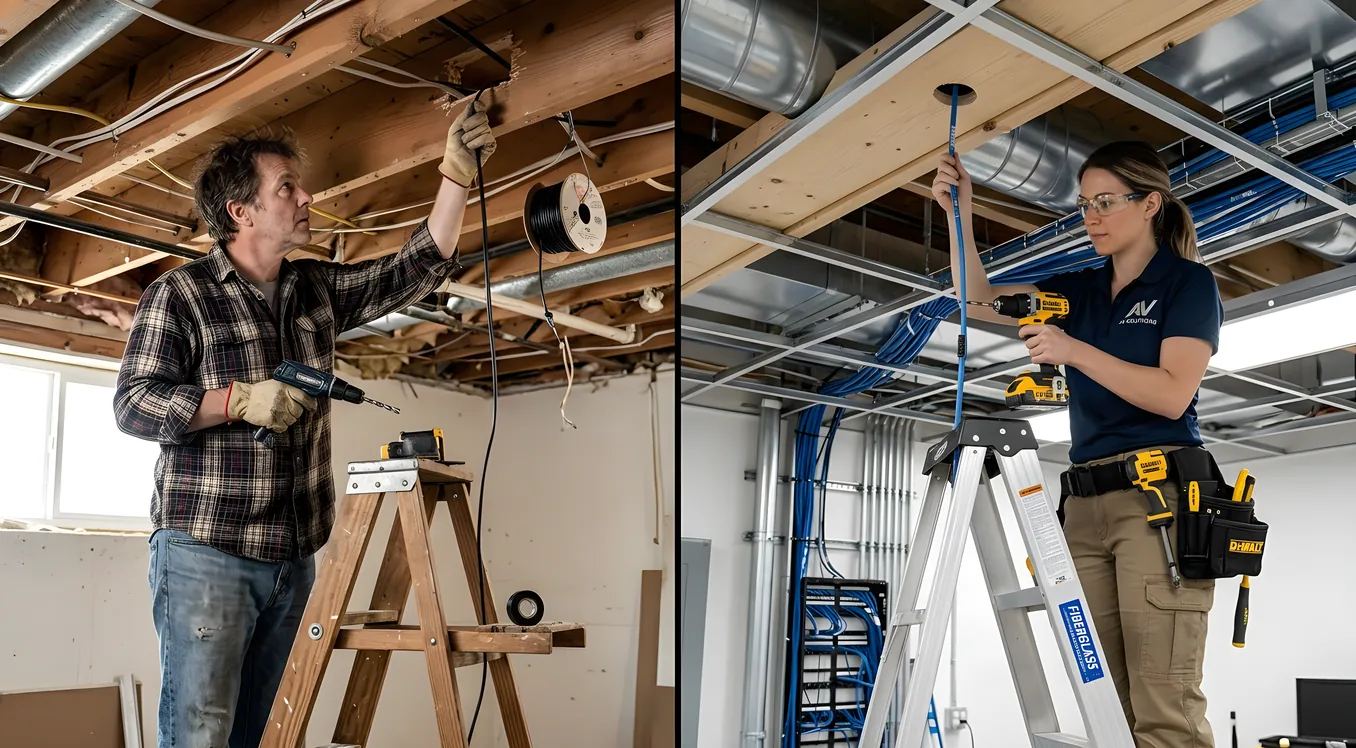
Building a home theater yourself and hiring a professional integrator are not equally good choices for every situation. The right answer depends on the scope of your project, your existing skills, and your tolerance for troubleshooting. This guide breaks down what each path actually looks like so you can decide with clear eyes.
What DIY Can Handle Well
The tasks most homeowners can reasonably take on share a common trait: they are reversible. If you mount a TV and the placement is off, you remount it. If your speaker placement sounds thin, you move the speakers. Mistakes in these areas cost time, not permits or structural repairs.
Equipment selection and purchasing is where DIY delivers the clearest advantage. Authorized dealers and direct-to-consumer brands give you the same products a professional would install, often at identical prices. Integrators typically mark up equipment 20–40%, so buying directly and paying separately for labor is the most efficient hybrid approach.
TV and projector mounting requires a stud finder, a level, and patience. Flat wall mounts are straightforward; articulating arms add complexity but are well within reach for anyone comfortable with basic tools. Projector ceiling mounts follow the same logic, though you’ll want to calculate throw distance before drilling.
Speaker placement follows documented guidelines. Front left and right speakers sit at ear level, roughly 22–30 degrees off-center from the primary seat. Center channel aligns with the screen. Surrounds go slightly above ear level. These are not secrets. Any good AV forum or manufacturer’s manual covers the geometry clearly.
Basic wiring runs along baseboards or through conduit work fine for surface-mounted setups. If you are not going inside walls, you avoid the category of work that benefits most from professional experience.
Acoustic panel installation is approachable with pre-made panels. Identify your first and second reflection points, mount panels at those positions, and add bass traps in corners. The math is teachable and the tools are minimal.
Receiver setup and room correction has become far more accessible. Most mid-range and high-end AV receivers include automated calibration systems (Audyssey, Dirac, YPAO) that measure your room with a supplied microphone and adjust EQ, delay, and level settings automatically. The result is not as refined as a professional calibration with external tools, but it is a significant improvement over uncalibrated defaults.
Where DIY Struggles
Some tasks are not technically impossible for a DIYer but have a high failure rate or a long learning curve that makes professional help cost-effective in real terms.
In-wall and in-ceiling speaker installation requires cutting accurate holes, fishing wire through insulation, and working around fire blocking and electrical runs. The mechanical steps are manageable. What trips people up is the planning: you need to know where your joists run, whether there are fire-rated barriers between floors, and how wires will exit at the receiver location. A mistake means patching drywall and starting over.
Structural work (tiered risers, soffits for projector concealment, and false ceilings) involves framing, drywall, and finish carpentry. These are skilled trades. An out-of-level riser or a soffit that vibrates at bass frequencies creates problems that are expensive and embarrassing to fix after the room is painted.
Soundproofing is where DIY mythology runs wild. Acoustic foam treats room acoustics (reflections, reverb) but does almost nothing for sound transmission. True soundproofing requires decoupling structure, adding mass, and sealing penetrations. It is a construction discipline, not a hardware purchase, and it requires professional execution to perform anywhere near its stated STC rating.
Complex automation programming for multi-room systems, motorized shades, and lighting scenes requires structured software training that most integrators spend years developing. You can configure a basic universal remote yourself, but programming conditional logic and device macros across a full home system is a different scope of work.
What Requires a Professional
Some tasks have hard stops for unlicensed work. Ignoring these is not a calculated risk; it is a liability.
Electrical work that goes beyond plugging into existing outlets requires a licensed electrician in most jurisdictions. Dedicated 20-amp circuits for projectors and amplifiers, new outlet placement, and panel upgrades all require permits in most states. Unpermitted electrical work can complicate insurance claims and home sales.
Structural modifications to load-bearing walls or floor systems require engineering review. A theater room with a raised floor platform that affects the structural integrity of joists is not a judgment call a homeowner should make independently.
Control4, Savant, and Crestron programming is dealer-only by design. These platforms require dealer certification to access their full feature sets and programming environments. Even if you bought the hardware on the secondary market, you would need a licensed dealer to program it properly.
Commercial-grade AV distribution (video matrix switching across 6+ zones, whole-home audio with independent zone control, rack-mount processing) is technically complex enough that the diagnostic and maintenance burden alone argues for professional installation.
The Cost Reality
Professional integrators typically charge $100–200 per hour for experienced labor. A full installation including mounting, wiring, rack build, and calibration on a dedicated theater room can run 40–80 hours. At $150/hour average, that is $6,000–$12,000 in labor alone, before equipment.
DIY saves that entire labor cost on tasks you execute yourself. On a $20,000 room, doing your own equipment sourcing, mounting, wiring, and receiver calibration while hiring professionals only for electrical and structural work can reduce total project cost by 30–50%.
The calculus shifts on larger budgets. On a $50,000+ project with whole-home integration, the complexity and coordination burden tips strongly toward a full-service integrator. The time you would spend learning, troubleshooting, and redoing work exceeds the dollar savings for most people.
See the full cost breakdown for a detailed breakdown of what each component category typically costs with and without professional labor.
Risks Worth Understanding
Warranty coverage is one area where DIY can create invisible problems. Some projector and display manufacturers specify that certain warranty claims require authorized installation documentation. The specific terms vary by brand and product line, so read the warranty language before deciding.
HDMI handshake failures (the blank screen or “no signal” issue that appears randomly) are common in complex signal chains and disproportionately affect DIY setups because the root cause is often a mismatch between cable quality, length, resolution, and HDMI version. Diagnosing these requires methodical elimination and sometimes a signal analyzer. Professionals deal with these situations routinely and often have loaner test equipment.
Code violations from unpermitted electrical or structural work can surface during a home sale inspection, resulting in required remediation before closing. This is a real financial risk, not a theoretical one.
Poor calibration affects every hour you spend watching or listening. An uncalibrated room can make a $10,000 speaker system sound worse than a $1,500 system in a calibrated room. If you invest in quality equipment, budget for at least a basic professional calibration pass.
The Hybrid Approach
Buying your own equipment and hiring an integrator only for installation and calibration is the most widely recommended middle path for projects between $10,000 and $40,000. You capture the dealer markup savings on equipment, which can be $2,000–$8,000 on a well-specified system, and you pay professional rates only for the hours that benefit most from professional expertise.
Be direct with the integrator about this arrangement at the start. Many accept it; some do not (particularly those whose business model requires equipment margin). Getting clear on this upfront avoids awkward conversations later.
If you go this route, read the guide on how to choose an installer before you start calling companies. The right integrator for a hybrid arrangement is not necessarily the same profile as one you would hire for a complete turnkey project.
Skill Assessment: What You Actually Need
Before committing to a DIY path on any specific task, be honest about your current skills versus what the task requires:
Mounting (TV/projector/speakers): Comfortable with a drill, stud finding, and reading a level. Familiar with toggle anchors for drywall locations without studs.
Surface wiring: Can measure and cut cable channels or conduit, strip wire ends, terminate banana plugs and HDMI connectors.
In-wall wiring: Experience with drywall work, can use a fish tape, understands fire codes for wire penetrations in your jurisdiction.
Receiver configuration: Willing to spend 3–6 hours reading documentation and running calibration software. Comfortable enough with technology to troubleshoot a “no signal” error without calling for help.
Acoustic treatment: Can identify reflection points with a mirror or phone app, comfortable drilling into various wall surfaces, understands the difference between absorption and diffusion.
If any of these skill requirements are unfamiliar, that is the area to either learn specifically for this project or hire out. Attempting a task you are not equipped for rarely saves money in the end.
Time Investment
A realistic DIY build for a dedicated theater room runs 40–100+ hours of labor depending on scope. Here is a rough breakdown:
Planning, measurement, and equipment research: 10–20 hours. This step is consistently underestimated. The decisions you make here affect everything else.
Physical installation (mounting, wiring, acoustic panels): 15–30 hours depending on room complexity and whether runs are surface or in-wall.
System configuration and calibration: 8–15 hours. This includes receiver setup, streaming device configuration, remote control programming, and calibration microphone runs.
Troubleshooting and iteration: 5–20 hours. Budget for this. It happens on almost every build.
If your time has meaningful economic value, run the honest calculation. At 60 hours of DIY labor, you are implicitly valuing your time at $100–$200/hour before the math tips toward hiring out, assuming a professional would charge that rate.
Tools You Will Need
Basic toolkit for a DIY theater build:
- Stud finder (magnetic models work; electronic models are more reliable)
- 4-foot level for speaker and screen positioning
- Drill with bit set including spade bits for in-wall work
- Fish tape for wire runs through finished walls
- Cable tester for verifying runs before walls close
- SPL meter (a calibrated app on your phone works for basic calibration; a dedicated meter is better)
- Laser distance measurer for accurate speaker positioning
- HDMI signal analyzer (optional but valuable for diagnosing handshake issues)
When to Hire a Professional Outright
Three conditions argue for a full-service professional:
Systems priced above $15,000 in equipment cost. The complexity of signal routing, rack organization, and integration at this level justifies professional project management.
Any construction work: risers, soffits, sound isolation, new electrical circuits. These touch code compliance and structural integrity in ways that DIY errors cannot easily be undone.
Whole-home AV distribution. When the theater connects to a broader system controlling music, lighting, and shading across multiple rooms, the integration complexity multiplies. A mistake in configuration can affect unrelated systems throughout the house.
If your project fits any of these categories, the cost breakdown guide and installer selection guide are the right next reads. For those starting smaller, the budget home theater guide covers what you can accomplish for under $3,000 with a focused DIY approach.