Lutron Lighting for Home Theaters: RadioRA 3, HomeWorks, and Caseta
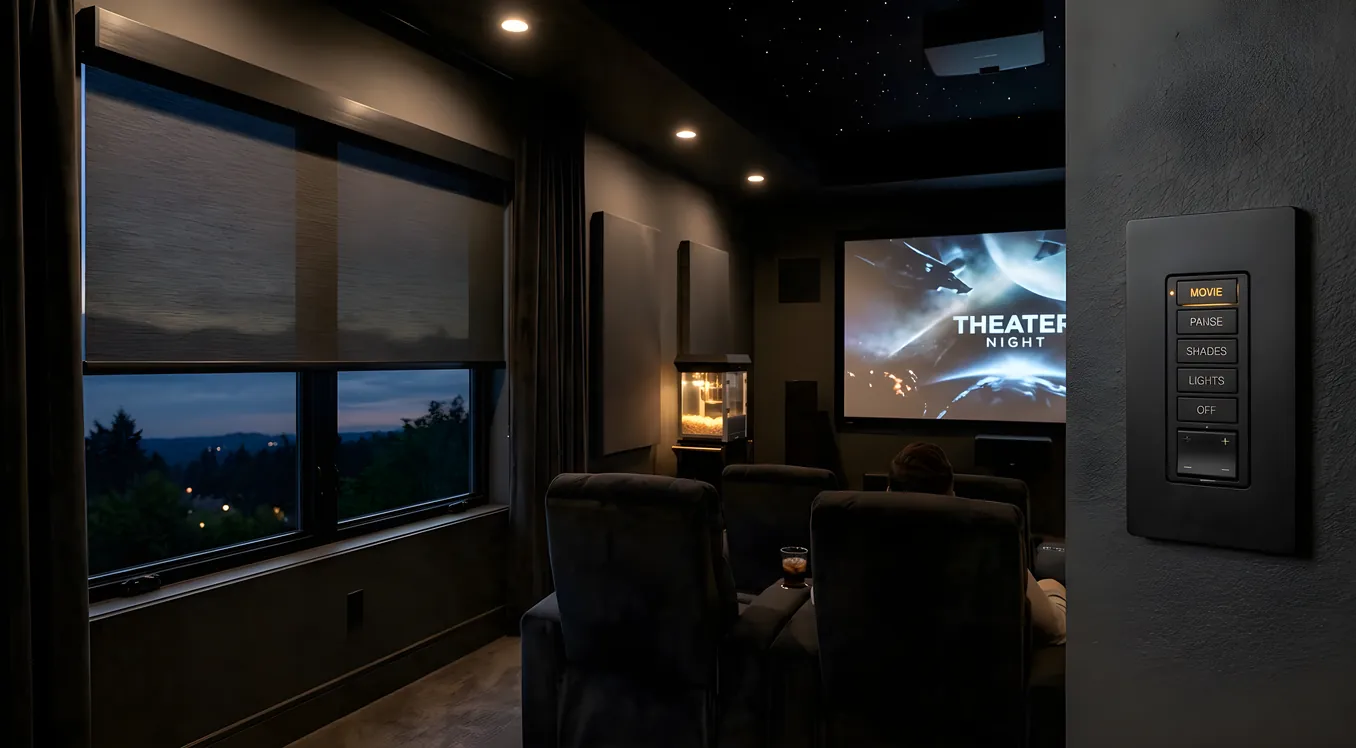
Lutron has held its position at the top of the lighting control market for decades, and the reason comes down to three things that matter for home theaters: smooth dimming curves, hardware reliability, and deep integration with the AV control systems that run serious rooms. This guide covers the three main Lutron product lines, how to choose between them, and the specifics that make Lutron work as well as it does in a theater environment.
Why Lutron Dominates Theater Lighting
Most home automation brands treat lighting as an afterthought. Lutron built its company around it. The company holds the original patent on the solid-state dimmer, and its engineering has stayed ahead of commodity competition by focusing on the low end of the dimming curve, where cheap dimmers fail.
For a home theater, the critical moment is the transition from “room is lit for guests” to “content is playing.” You need every fixture to move smoothly from 100% to 0%, and then hold at 5% for aisle lighting without flickering. Inexpensive dimmers fall apart at low levels. Lutron’s proprietary dimming technology handles this cleanly across LED loads, which is a non-trivial problem given that LED drivers were not designed with dimming in mind.
The second reason Lutron dominates theater installations is its integration footprint. Control4, Savant, and Crestron, the three dominant AV control platforms for dedicated home theaters, all support Lutron natively. Lutron’s RadioRA 3 and HomeWorks systems can be embedded directly into an AV control scene, so pressing “Movie” on a Crestron touchpanel triggers the lighting, the projector, the screen, and the shades in a single command.
Caseta: The DIY-Friendly Entry Point
Caseta is Lutron’s consumer product line, and it is the right choice for a single-room theater on a budget or for a homeowner who wants to handle installation without a dealer.
The system uses a Smart Bridge hub (or Smart Bridge Pro for integration with other platforms) and communicates over Lutron’s Clear Connect RF protocol. Clear Connect does not use Wi-Fi, which means it does not compete with your network traffic, and it does not require a neutral wire at the switch location. That second point matters in older homes where neutral wires were not run to switches as a matter of course.
Caseta supports up to 75 devices per system, which is sufficient for a single theater plus a handful of adjacent rooms. The Pico remote is one of Caseta’s strongest features: a small, wall-mountable battery-powered remote that you can place anywhere in the room, at the door, on an armrest, or clipped to a seat, and program it to control any scene. For a theater, the Pico replaces the need to get up and find a panel.
Scene programming through the Lutron app is straightforward. You can create a “Movie” scene that dims overheads to zero and holds aisle lighting at 5%, and an “Intermission” scene that brings sconces to 30% and overheads to 20%. Both fire from a single button press.
Where Caseta makes sense: budget home theaters, single-room installs, owner-operated setups, rooms that do not have a dedicated AV control processor. It integrates with Apple HomeKit, Google Home, and Amazon Alexa, so voice control and basic app automation are available without additional infrastructure.
Where Caseta runs short: it does not support the Sunnata keypad line, its dimming range does not reach the low-end precision of higher systems, and the 75-device cap can become a constraint if you want to extend control to the rest of the house.
Cost: Caseta dimmers run $50 to $80 per switch at retail. The Smart Bridge is around $80. For a four-zone theater with one keypad and two Pico remotes, budget $400 to $600 for hardware before installation.
RadioRA 3: Dealer-Installed, Whole-Home Capable
RadioRA 3 is Lutron’s mid-tier professional system, and it is where most dedicated home theaters land when the owner wants both theater-grade dimming and whole-home coverage from a single platform.
The system requires a licensed Lutron dealer to configure. Programming happens through Lutron’s RadioRA 3 Software Suite, which is dealer-only software. This is not a workaround or an artificial restriction: the configuration options are deep enough that trying to do it without training creates problems. The dealer handles device commissioning, scene programming, system integration with the AV control platform, and any adjustment after the room is complete.
RadioRA 3 supports 200 devices per system, which covers a full home comfortably. The hardware communicates over Clear Connect RF like Caseta, but the signal strength and network topology are more robust, and the system supports repeaters to extend coverage through difficult structures.
The dimming range extends further than Caseta at the low end, which translates to better precision when holding fixtures at very low levels for aisle lighting. The difference is perceptible in a side-by-side comparison in a dark room.
Sunnata keypads are RadioRA 3’s standout hardware feature for theaters. These in-wall keypads replace the traditional switch plate with a sleek glass or brushed metal panel that holds four to six programmable scene buttons. Place a Sunnata keypad at the theater entry, and your lighting scenes are available from the wall without any app, voice command, or remote. “Movie,” “Intermission,” “Cleaning,” and “Full” all live on a single panel. The haptic feedback and backlit buttons read well in a dark room without being distracting during content.
Integration: RadioRA 3 communicates natively with Control4, Savant, and Crestron. This is the system to specify when an AV integrator is building a full automation package that includes the lighting.
Cost: RadioRA 3 dimmers range from $150 to $300 per switch at dealer pricing. Programming fees vary by region and project scope, but $2,000 or more for a full home configuration is a reasonable starting estimate. A four-zone theater with a Sunnata keypad and integration into a Control4 system might land between $3,000 and $5,000 including labor.
HomeWorks QSX: Enterprise-Grade Precision
HomeWorks QSX is Lutron’s flagship system, deployed in custom homes where the budget is unconstrained and every detail of the lighting performance matters.
The system has no device cap. A large estate can run hundreds of fixtures, dozens of keypads, and motor shade controls all from a single HomeWorks processor. The programming environment is correspondingly sophisticated, with scene logic, time-clock triggers, occupancy integration, and conditional rules that go well beyond scene presets.
The dimming precision is the technical benchmark. HomeWorks QSX can hold fixtures at 0.1% output, the lowest level available from any residential lighting control system. In a theater context, this means you can set aisle lighting to a level that is genuinely barely perceptible, present only enough to outline the floor without adding any measurable light to the screen area.
Palladiom keypads are HomeWorks’s premium hardware. Available in custom finishes, materials, and engravings, they are specified like furniture. The button layout, backlight color, and engraving are all chosen during the design phase. A Palladiom keypad in a high-end theater is a statement piece, not just a control interface.
Integration: HomeWorks QSX integrates at the deepest level with Savant and Crestron in particular, where it can participate in full-house event-based logic rather than just responding to scene commands.
Cost: HomeWorks dimmers run $300 to $500 per device at dealer pricing, and programming labor typically starts at $5,000 for a residential project. Full-home HomeWorks installations in a luxury project commonly reach $20,000 or more in lighting control alone.
Where HomeWorks makes sense: new construction luxury installs, whole-estate control, projects where the AV integrator and lighting designer are specifying the system together, and clients for whom the Palladiom keypad is a design requirement rather than a nice-to-have.
Dimmer Types: Why LED Compatibility Matters
Lutron makes dimmers rated for three load types, and pairing the wrong dimmer to a fixture is one of the most common installation errors in theater lighting.
ELV dimmers (Electronic Low Voltage) are the correct choice for most modern LED fixtures. LED drivers are ELV loads by design, and using an ELV-rated dimmer ensures the driver receives the signal it expects. Mismatching an incandescent dimmer to an LED fixture produces buzzing, flickering at low levels, and shortened driver life.
MLV dimmers (Magnetic Low Voltage) are for older low-voltage halogen fixtures and some specialty LED systems with magnetic power supplies. These are less common in new installations but occasionally appear in renovations where existing low-voltage fixtures are being kept.
Incandescent and standard dimmers work only with incandescent and halogen lamps wired at line voltage. Do not use them on LED fixtures. The dimming curve is wrong for LED drivers, and the result at low levels is unreliable.
When specifying fixtures for a theater, confirm the load type before ordering dimmers. LED manufacturers should list the compatible dimmer type in their specification sheets. When in doubt, Lutron’s online dimmer compatibility tool accepts fixture model numbers and returns a list of confirmed-compatible dimmers from their catalog.
Keypads and Scene Control
The keypad is the primary human interface for a theater lighting system, and the options differ meaningfully across Lutron’s product lines.
Sunnata keypads (RadioRA 3) offer four to six programmable buttons per panel, a glass or metal faceplate, and backlit labeling that is readable in a dark room. The buttons have physical travel and haptic feedback, which means you can press the right button without looking. This matters when you are trying to hit “Intermission” in the dark without pausing the movie.
Palladiom keypads (HomeWorks) are custom-specified at the design phase. Button count, layout, engraving text, backlight color, and faceplate material are all chosen per-project. These are built to order and delivered with the project-specific programming already documented.
Pico remotes (Caseta) are portable and wall-mountable. Their primary advantage is flexibility: you can put a Pico on a seat armrest, mount it beside the couch, or add a second one at the back of the room without running additional wiring. The limitation is that you are working with a generic form factor and button labels rather than a custom engraved panel.
For a dedicated theater, the preference is a fixed in-wall keypad at the entry point with scene labeling specific to how the room operates, paired with a Pico or equivalent remote at the primary seating position for in-session adjustments.
Shading Integration: Motorized Blackout for Theaters
Lutron makes motorized shading systems that integrate directly with their lighting control platforms, and for a dedicated theater the value proposition is straightforward: one “Movie” button closes the shades, dims the lights, and starts the projector warmup sequence.
Serena shades are Lutron’s DIY-compatible shading line. They pair with Caseta and can be added to a Smart Bridge without a dealer. Serena shades are available in blackout fabrics, which is the specification for a theater: you need complete light block, not just privacy or solar reduction. The motors are quiet enough that they do not intrude on the start of a film.
Triathlon shades are Lutron’s professional roller shade system, designed for larger spans and architectural applications. They integrate with RadioRA 3 and HomeWorks and are specified when the shading scale exceeds what Serena handles, or when the room has tall windows that require more motor torque.
Palladiom shades are HomeWorks’s premium shading option, with fabric selection, hardware finishes, and hem bar options that are specified to match the room’s design. Like Palladiom keypads, they are custom-built and installed as part of a full luxury integration project.
For a theater, always specify blackout fabric regardless of which Lutron shading line you use. Solar and light-filtering fabrics that work well in living rooms allow enough light through during daytime screenings to wash out the image on a projector. See our blackout solutions guide for fabric specifications and installation considerations.
Theater Lighting Scenes in Practice
The scene structure for a home theater typically covers four states, each one matching how the room is actually used.
Pre-show: General lighting at 80-100%, overheads and sconces up, aisle lights on. Guests are arriving, finding seats, the room needs to function as a social space.
Movie: All general lighting at 0%, aisle and step lights at 5%, bias light behind the screen on. Nothing competes with the image. The aisle lights stay active because this is a safety requirement, not a design choice.
Intermission: Sconces up to 30%, overheads at 20%, aisle lights at 100%. Enough light to move around safely, find the kitchen, let eyes adjust after a dark film, without requiring a full reset of the room atmosphere.
Cleaning and full on: All fixtures at 100% so the room can be seen clearly for maintenance, rearranging furniture, or setting up for an event.
Each of these scenes programs as a single button press on the keypad or a single command from the AV control system. The best implementations tie the “Movie” scene to the projector power sequence so that the room transitions automatically when the system turns on, without anyone touching the lighting panel.
The automation scenes page covers how to configure these sequences in Control4 and Savant if you are building a full integration.
Choosing the Right Lutron System
The selection comes down to three factors: whether a dealer is involved, how many devices the project needs, and whether lighting is part of a larger AV control system.
For a single-room DIY theater without AV integration, Caseta is the correct answer. It handles the scene programming, Pico remotes, and smart home integration that most homeowners actually use. Spending more on RadioRA 3 or HomeWorks makes sense only if a dealer is involved and the project warrants the investment.
For a dedicated theater integrated with Control4, Savant, or Crestron, RadioRA 3 is the standard specification. It handles the integration requirements and keypad options that the theater deserves, at a price point that fits projects in the $30,000 to $100,000 AV range.
For luxury new construction where the lighting designer is part of the project team and the homeowner is selecting keypad finishes alongside cabinet hardware, HomeWorks QSX is the only system that delivers the precision and customization the project requires.
All three systems use the same Clear Connect RF protocol, the same basic programming logic, and compatible fixtures. The learning curve between them is not steep for a dealer who works in Lutron regularly. What changes is the depth of control, the hardware options, and the cost per device.
For detailed guidance on the lighting design decisions that precede the control system selection, including zone layout, fixture types, and dimmer placement, start with the room design stage before committing to a control platform.