Universal Remote vs Smart Home Hub: Simplifying Home Theater Control
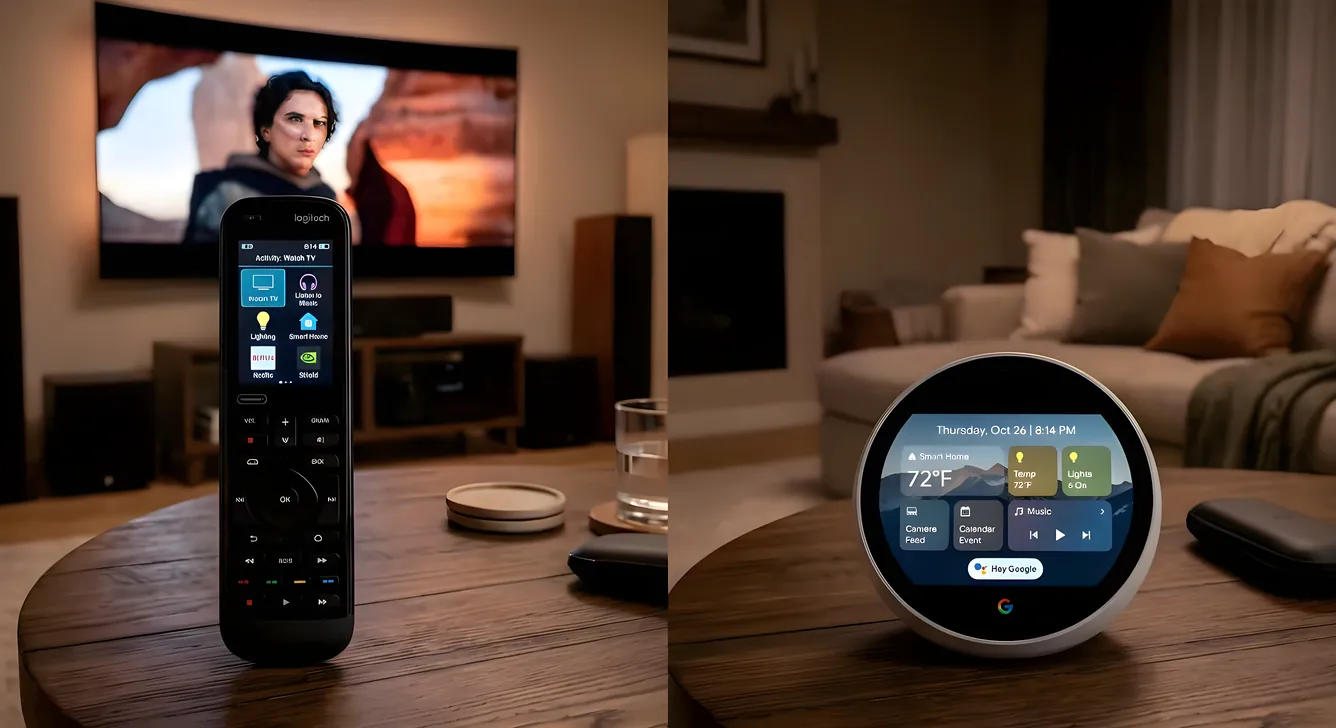
Most home theaters accumulate remotes the way junk drawers accumulate batteries. A TV remote, a receiver remote, a streaming stick remote, a Blu-ray remote, a soundbar remote, a lighting controller. Six devices, six pieces of plastic, zero of them talking to each other. Watching a movie means a four-step ritual before the first frame of content.
Two technologies address this problem from different angles. Universal remotes consolidate physical control. Smart home hubs shift control to software. Both simplify the experience, but they do it differently, serve different use cases, and carry different price tags. Understanding what each one actually does well is the starting point for choosing the right path, or deciding you need both.
The Remote Control Problem
The average home theater has between four and eight independent control surfaces. Each device ships with its own remote, its own IR code set, and no knowledge that the other devices exist. A TV on HDMI 2 doesn’t know your receiver’s volume control from anything else.
The downstream effect is predictable. Guests can’t operate the system without a tutorial. A family member who picks up the wrong remote triggers the wrong device. Input switching becomes a chore. The experience that a $5,000 equipment list promises gets undermined by the five remotes scattered across the couch.
Both universal remotes and smart hubs solve this. They differ in how, and in what they can’t do.
What Universal Remotes Do Well
A universal remote learns the command codes your devices speak and consolidates them onto one physical controller. When you press “play,” the remote sends the right signal to the right device. When you set up an activity called “Watch a Movie,” it chains a sequence: turn on the TV, switch the receiver to HDMI 2, set receiver volume to 35, dim the lights, lower the shade.
The physical button is the critical advantage. A real button in a dark room, found by muscle memory, without waking the screen or unlocking a phone, is genuinely more convenient than any app for high-frequency actions. Volume, play, pause, skip. These happen dozens of times during a movie. A button beats a touchscreen every time.
IR, RF, and IP control let modern universal remotes reach devices through walls, in cabinets, or across the house. IR is line-of-sight. RF passes through doors and equipment rack panels. IP control works over WiFi, which means the remote can control devices that have no IR receiver at all: streaming boxes, smart TVs, some AV receivers when accessed through their network API.
Activity-based control is the concept that makes universal remotes worth their price. Rather than asking you to think about inputs and power states, you tell the remote what you want to do. “Watch TV” and “Listen to Music” become single button presses that configure the whole system. Getting this right requires setup time, but once the activities work, the experience is close to invisible.
The most widely used universal remote platform, Logitech Harmony, was discontinued in 2021. The hardware is still in heavy circulation and the cloud service remains functional, but Harmony no longer receives updates and replacement units sell on the secondhand market. That gap created real demand for alternatives.
SofaBaton has emerged as the primary Harmony replacement at the consumer level. The X1 hub and U2 remote combination covers IR, Bluetooth, and WiFi control for $100 to $200 total. Setup happens through a companion app. The device database is large and growing. For anyone who owned a Harmony Companion or Harmony Hub, the transition is reasonably straightforward.
Control4 Halo and Savant Pro Remote occupy the upper tier, where remotes cost $500 to $3,000 and require professional integration with those platforms’ broader control systems. These are not standalone purchases: they’re the physical interface for a whole-home automation system, and the remote’s value comes from what the platform behind it can do. For a standard consumer setup, they’re not the answer. For a professionally installed system, the remote is part of the platform, not a bolt-on.
What Smart Home Hubs Do Well
A smart home hub is software infrastructure, not hardware. The interface is a phone, a tablet, or a voice assistant. The hub runs in the background, connecting to devices over WiFi, Zigbee, Z-Wave, and other protocols, and making them available to each other and to you.
Home Assistant is the most capable open-source option, running locally on a Raspberry Pi or a dedicated mini-PC. It supports more device types than any commercial hub, integrates directly with the services and APIs your devices expose, and processes everything on your network without sending data to a cloud. The setup requires technical patience, but the ceiling is very high.
Hubitat runs locally like Home Assistant but with a more approachable interface and a narrower, more curated integration list. It’s popular with users who want local processing without writing YAML configuration files.
SmartThings runs in Samsung’s cloud and offers the widest out-of-box device compatibility of the three, but depends on Samsung’s servers. If those servers have an outage, automations stop. For reliability-sensitive setups, local processing is worth the tradeoff.
Where hubs pull ahead of universal remotes is automation depth and device count. A hub can trigger automation scenes based on time of day, occupancy sensors, a specific input being selected, or a combination of conditions. Lights fade to 20% at 8pm on weekdays. The projector drops its input when no signal is detected for 20 minutes. A motion sensor in the hallway turns on enough light to see without waking anyone. None of this requires human input.
Hubs also scale without a hard device limit. A universal remote that controls 15 devices is impressive. A hub running a 60-device smart home treats those 15 theater components as one cluster inside a larger ecosystem.
The persistent limitation is the absence of physical buttons. A phone is a general-purpose computer that requires waking, unlocking, finding the right app, and navigating to the right control. That friction is low for scheduled events that run themselves. It’s high for manual actions in the dark during a movie.
Apple TV as a Lightweight Hub
Apple TV deserves its own mention because it sits in a middle category: a streaming device that doubles as a HomeKit hub and provides CEC control over the TV it connects to. With CEC enabled, the Apple TV remote can power the TV on and off, control volume, and switch inputs without any additional configuration.
For households already in the Apple ecosystem, this is often enough. The Apple TV remote is a physical controller that also triggers HomeKit scenes. A “Good Night” scene can turn off the TV, dim every light, and lock the front door from one button press. It’s limited compared to a full smart hub, but it works without setup complexity.
For households outside Apple’s ecosystem, this path doesn’t work. HomeKit’s device compatibility is narrower than any of the three major hubs above, and the Apple TV’s CEC integration only covers the TV, not the receiver or any other device.
Control4 and Savant: When the Platform Is the Point
Control4 and Savant are not products you buy at a retailer. They’re integrator-sold platforms installed by certified dealers, with pricing that starts around $5,000 for small systems and scales into six figures for full estates. The remotes these platforms offer are premium because the platform they connect to is premium.
What justifies the cost is depth of integration. A Control4 system can control not just your theater equipment but your HVAC, access control, irrigation, elevator, and whole-home lighting, all from a unified interface. The remote isn’t just a home theater controller; it’s the physical interface for the whole building. If you’re already in one of these ecosystems, the remote is a logical addition. If you’re not, the remote alone is not an entry point.
The Hybrid Approach
For most theater owners, the honest answer is both. Not the full-scale Control4 installation, but a universal remote for daily operation and a smart hub for the automation layer underneath.
A SofaBaton X1 hub handles IR and IP blasting to the TV, receiver, Blu-ray player, and projector. A Home Assistant instance running on a small server connects those same devices to a broader scene system, handles presence detection, manages the lights on schedules, and lets voice control access everything through an Alexa or Google Home integration. The remote handles what hands need to do. The hub handles what should happen automatically.
This combination costs less than a single mid-tier Control4 remote and covers substantially more ground.
Cost Comparison by Use Case
For a budget-conscious setup with a handful of devices and no interest in broader smart home integration, a SofaBaton U2 or a used Harmony Companion handles the job for $60 to $120. No hub required.
For a mid-size theater with 8 to 12 devices, a desire for activity-based control, and some interest in lighting automation, a SofaBaton X1 hub plus a basic Home Assistant or Hubitat installation covers everything for $150 to $300 in hardware.
For a whole-home installation where the theater is one room among many, an investment in a proper smart hub platform scales better than adding universal remotes to every room. Home Assistant handles this well at no software cost; Hubitat charges a one-time license.
For professionally installed systems with custom panels and dedicated technical support, Control4 or Savant are the right frameworks. The cost is real, but so is the result.
Choosing What Fits Your Setup
The deciding question is how you interact with your theater most of the time. If your daily use is manual, someone pressing play and adjusting volume throughout an evening, a universal remote with well-configured activities will improve your experience more than any hub. If your use pattern is more passive, the theater turning on for a scheduled sports broadcast, lights adjusting to time of day, audio routing changing based on what’s playing, a hub delivers value a remote can’t.
For a theater that’s actually used, the remote wins the daily friction argument. For a theater embedded in a larger smart home that should behave intelligently without being asked, the hub wins the automation argument. The two aren’t in competition; they’re at different layers of the same system.