Voice Control for Home Theater: Alexa, Google, and Siri Integration
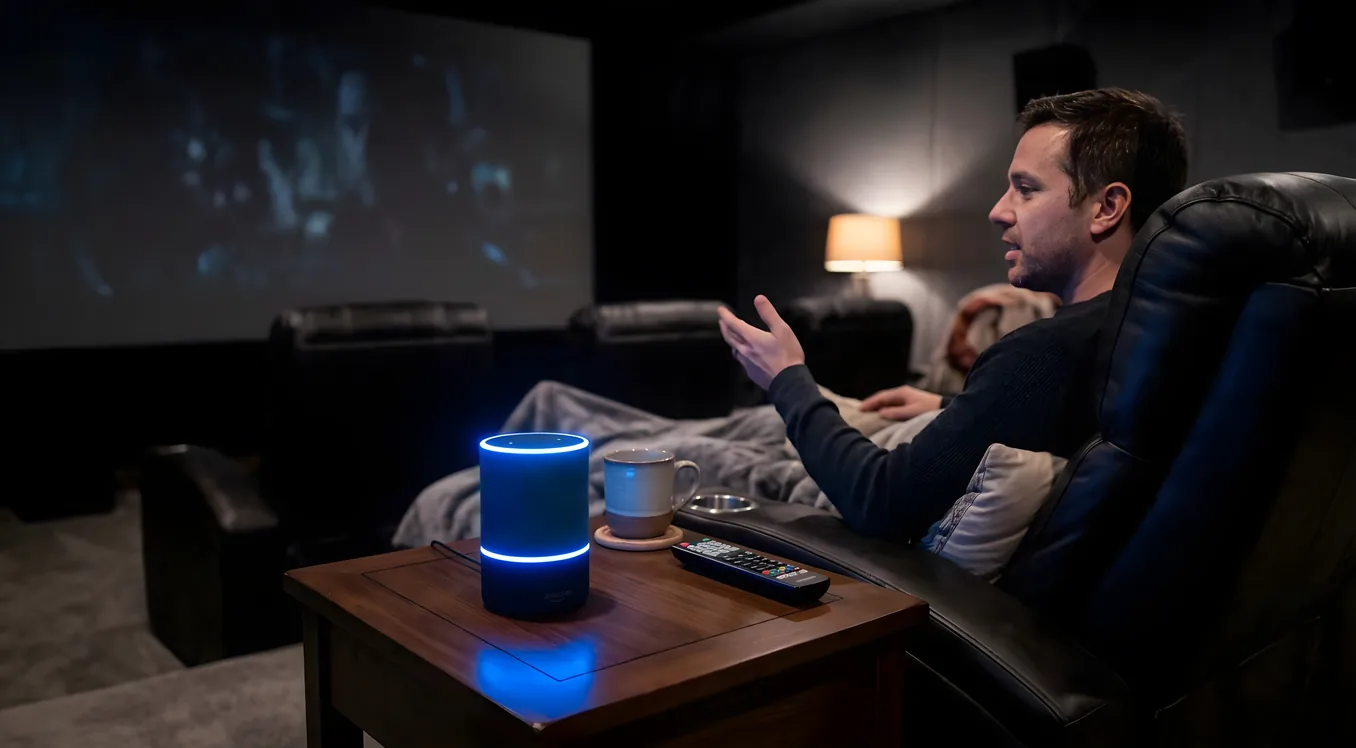
Voice control works well for home theater. It also fails in very specific and predictable ways that no amount of shouting will fix. Understanding both sides of that equation tells you exactly how to set up a system you’ll actually use, rather than one you abandon after a week of misfires.
The short version: voice is excellent for triggering pre-configured scenes and single-step commands. It is not, and may never be, the right tool for navigating AV routing, switching audio formats, or adjusting anything that requires more than one action in sequence. The systems that do voice control well have learned to route complex commands away from the voice assistant and into a dedicated automation controller. Everything else falls back to a remote.
The Three Platforms and What Each Does Well
Alexa, Google Home, and Siri each approach home theater control from a different angle. Choosing the right one depends less on raw feature counts and more on which devices you already own and how you want to wire them together.
Alexa
Alexa has the broadest device compatibility of the three platforms. The Works with Alexa program covers a large portion of smart home hardware, including AV-adjacent gear like smart power strips, HDMI switches, and lighting systems from dozens of manufacturers. For home theater, this matters because you’re rarely controlling just one device. Turning on the theater typically means powering up the receiver, the screen, the projector, the subwoofer, and dimming the lights. Alexa can coordinate all of that through a routine.
Routines are Alexa’s core organizational unit. You build a sequence of actions triggered by a phrase, a time, or an event from another device. A routine that says “turn on the theater” can fire a Harmony hub command, switch a smart plug, send a signal to a compatible receiver, and set a Hue scene, all in one chain. The complexity lives inside the routine, not in the spoken command.
Where Alexa is weakest: natural language interpretation for multi-step requests. Ask Alexa to switch the input to the Blu-ray player and set surround mode to Dolby Atmos, and you’re likely to get a partial response, an error, or an action that completes only the first step. Voice assistants parse commands into discrete actions; they don’t negotiate with AV equipment the way a dedicated control system does.
Alexa also integrates natively with Fire TV, which means you can say “play The Revenant on Prime Video” and the system will find the content and launch it without intermediate steps. For streaming-first setups, this is a genuine time-saver.
Google Home and Google TV
Google Home’s advantage over Alexa is natural language processing. You can phrase a command several different ways and Google is more likely to understand your intent correctly. “Hey Google, turn it down a little” works where Alexa might require “Hey Alexa, decrease volume by 10.”
The Google ecosystem has two distinct home theater entry points. Chromecast Built-In allows you to cast audio and video directly from supported apps on your phone to compatible speakers and displays, without needing a separate streaming device. Google TV, found on Chromecast with Google TV and many Sony televisions, adds a unified interface for content from multiple streaming services, plus voice search across all of them.
For home theater control, the limitation is AV receiver integration. Google Home works well with smart displays, streaming devices, and lighting. Its compatibility with traditional AV hardware, particularly receivers from Denon, Marantz, and Yamaha, depends on the manufacturer’s own integration. Some brands publish first-party Google Home support; others require workarounds through third-party smart home hubs or Harmony.
Google’s strongest use case here is a simpler setup: a Google TV-equipped display, a soundbar or speaker system with Cast support, and a smart lighting ecosystem. All three layers speak Google’s language natively. If your system involves a separate AV receiver and multiple source devices, you’ll encounter the same routing limitations you’d hit with Alexa.
Siri and HomeKit
Siri is the most limited of the three platforms for home theater. HomeKit’s device catalog has expanded significantly in recent years, but AV hardware coverage remains thin compared to Alexa or Google. The brands that do publish HomeKit support tend to be at the premium end: Savant, Crestron, and some Sonos configurations.
The practical sweet spot for Siri in home theater is Apple TV. Apple TV 4K is a natively HomeKit-aware device, and Siri can control playback, content search, and volume through it without any additional configuration. If you have Apple TV as your primary streaming source and HomePod or HomePod mini as your audio output, the integration is clean and reliable. Siri knows where the content is, and the devices already speak the same protocol.
For broader whole-home automation, HomePod serves as a home hub that keeps HomeKit accessories connected and responsive when you’re away from home. In a room-by-room smart lighting setup, Siri’s scene control works well. For a complex AV system with rack-mounted components, the story is more complicated.
Savant makes a HomeKit bridge that allows Siri to trigger scenes and control Savant-managed equipment, but that requires a full Savant installation, which starts in the five-figure range. For most home theater buyers, Siri works well for basic playback control and lighting, but a dedicated integration solution is needed if you want voice control of the full signal chain.
Commands That Work Reliably
Across all three platforms, certain categories of voice command are consistently dependable.
Single-device power commands succeed almost every time. “Turn off the theater” triggering a smart power strip or HDMI-CEC chain, “turn on the projector” through a compatible smart plug or native integration, and “turn off the receiver” through a Harmony or native app skill all work with a high success rate.
Lighting control is the most reliable category in any voice-controlled room. “Dim the lights to 20 percent” and “set the theater scene” are exactly the kind of simple, single-attribute commands that voice assistants handle without errors. Lighting works because the command maps directly to one action on one device. There’s nothing to parse, nothing to route, and no format switching involved.
Media playback on streaming devices works well through platform-native integrations. “Play Dark Knight on Apple TV,” “skip ahead 10 minutes,” and “turn on subtitles” are processed by the device’s own voice integration, which is tuned specifically for that use case.
Volume adjustments on compatible soundbars and receivers generally work if the device has an official skill or integration. The receiver interprets a relative command (“louder,” “quieter”) rather than requiring an exact decibel value, which plays to the assistant’s strength.
Commands That Fail Consistently
The failure pattern is almost always the same: a voice command that requires multiple sequential actions on multiple devices, some of which don’t expose an API or voice skill.
“Switch to the Blu-ray player and set to 7.1 audio” asks the assistant to change an input on a receiver, confirm the new source is active, then change an audio processing mode. These are three separate hardware interactions, and the assistant has no way to verify that step two succeeded before executing step three. The result is partial execution, often with no feedback about what failed.
“Set the picture mode to cinema” fails because most displays don’t expose picture mode settings through voice skills. The TV’s native voice assistant might handle it, but a third-party assistant asking the display to change settings through a smart home integration almost never has that level of hardware access.
Complex input routing across multiple devices has the same problem. A home theater with a receiver, a video processor, and a separate preamp involves a chain of switching decisions that requires a control system with two-way communication to execute reliably. Voice assistants send one-way commands. They don’t confirm success, don’t retry on failure, and don’t know that the device received the instruction.
The Hub Approach: What Actually Solves This
The systems that make voice control genuinely useful in a complex home theater follow the same architecture. Voice commands trigger pre-configured scenes or macros inside a dedicated control system, which handles the device-level complexity.
Control4, Savant, Crestron, and Home Assistant all operate on this principle. You define a “Watch a Movie” scene inside the control system, which knows the exact sequence of commands required to set your room to movie-watching state: power up the receiver, set it to HDMI 3, switch the projector to the correct input, lower the screen, close the shades, and dim the lights to 15 percent. That entire sequence gets assigned to a single scene name.
When you say “Hey Alexa, turn on movie mode,” Alexa triggers a routine that activates the Home Assistant scene, which sends the full command sequence to every device in the correct order. The voice assistant never touched the AV equipment directly. It fired the scene, and the control system did the work. This is the architecture that makes voice control feel magic instead of frustrating.
For DIY installations, Home Assistant’s automation scenes provide this capability without proprietary hardware costs. You build the sequence in Home Assistant, expose it as a scene to your voice assistant of choice, and let the automation engine handle device-level execution. The learning curve is real, but the flexibility is broader than any commercial system.
The alternative to full control system integration is a Harmony hub from Logitech, which bridges Alexa and Google to IR and IP-controlled AV equipment through Harmony Activities. Activities function similarly to scenes: press one button (or say one phrase), and the hub fires the sequence of commands your system needs. It’s not as capable as a full control system, but it covers most setups at a fraction of the cost. If you’re deciding between a hub-based and a remote-based approach, the comparison of universal remotes and smart hubs covers the practical tradeoffs.
Privacy in a Room Where You Watch Everything
Every voice-controlled room involves a microphone that listens for a wake word continuously. In a bedroom or kitchen, this is an accepted trade-off for most users. In a home theater, the calculus is different.
Theaters are private rooms used for private content. The audio picked up by an always-listening microphone in a theater includes conversation, film dialogue, and anything else said in the room, all of which is processed by remote servers to detect the wake word before being discarded.
All three major platforms have settings to review and delete stored voice history. Alexa allows you to automatically delete recordings after a set period, disable the use of recordings to improve Alexa’s models, and review what was captured. Google and Apple offer similar controls.
If privacy is a concern, wall-mounted control panels from Control4 or Crestron provide full room control without any microphone. A dedicated touch panel in the room, combined with a smartphone app, covers every command that voice would handle, without the always-listening hardware. Some users split the difference: voice control through an Echo or HomePod placed outside the theater room, triggering the same automations through the hub, with no microphone inside the screening room itself.
Microphone Placement and False Activations
Far-field microphone arrays in current smart speakers can detect wake words from across a room, even with moderate ambient noise. This works well in practice during quiet use. It breaks down when the room is playing content.
Film soundtracks include the full range of human speech. Characters say things that sound remarkably similar to “Alexa,” “Hey Google,” and “Hey Siri” with enough frequency to trigger false activations regularly. A particularly dense action sequence can produce multiple false activations in a 90-minute film.
The practical mitigations are consistent across platforms. Placing the device near the seating position rather than near the speakers means it’s picking up your voice at a higher relative volume than the room’s audio output. Pointing it away from the main speaker array helps. Reducing the wake word sensitivity setting, available in the Alexa and Google apps, trades false positives for slightly reduced recognition range. Using a physical mute button on the device eliminates the issue entirely at the cost of making voice control unavailable during playback.
The most reliable arrangement for a serious home theater is voice control for setup commands issued before playback begins, a dedicated remote for anything needed during playback, and a muted microphone while content is running.
Practical Setup Recommendation
Voice control earns its place in a home theater by handling the commands that are genuinely inconvenient to execute on a remote: starting up the full system, setting the room environment, and shutting everything down cleanly. A well-built routine or scene reduces a six-button power-on sequence to one spoken phrase.
Precise control during playback, format adjustment, and input switching belongs on a remote. A universal remote with full AV receiver control, one-way or two-way, handles these actions without the latency, error rate, or false-activation risk of a voice command.
Voice and remote aren’t competing approaches. They handle different parts of the same workflow. Set up the room with your voice. Control playback with your hand.