HDMI 2.1 Explained: Bandwidth, eARC, VRR, and What You Actually Need
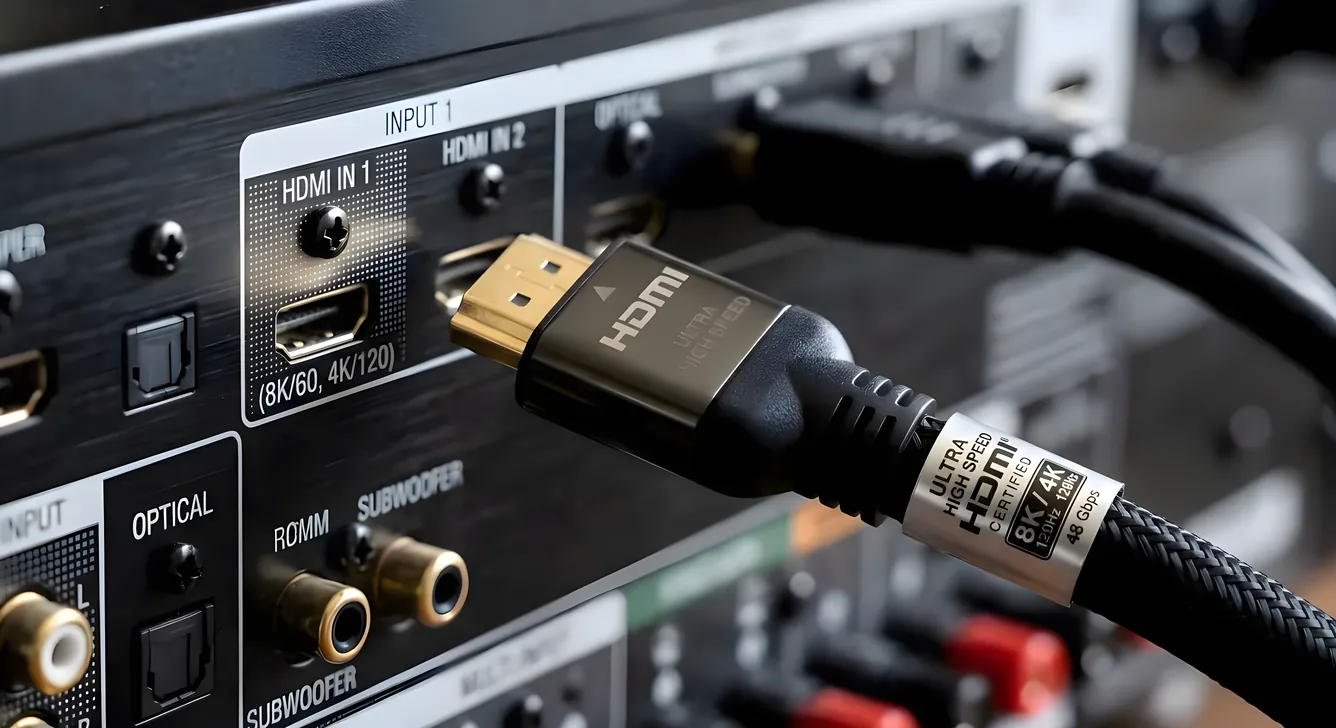
HDMI 2.1 is on every spec sheet now, but the version number alone tells you almost nothing useful. The same “HDMI 2.1” label covers a TV that supports 4K/120Hz with Variable Refresh Rate and a TV that quietly omits both. Understanding what the spec actually defines, which features are mandatory, and which are optional will save you from buying the wrong cable, the wrong TV, or the wrong receiver.
How We Got Here: HDMI 1.4 Through 2.0b
HDMI 1.4, released in 2009, was the first version to support 4K video, though only at 24 or 30 frames per second. It also introduced Audio Return Channel (ARC), which let a TV send audio upstream to a receiver over the same HDMI cable that delivered video downstream. That eliminated one cable run in millions of living rooms.
HDMI 2.0, released in 2013, pushed bandwidth from 10.2Gbps to 18Gbps. That headroom enabled 4K at 60 frames per second with HDR10 or Dolby Vision, which became the standard for 4K Blu-ray players and streaming boxes through most of the 2010s. HDMI 2.0b added HDR transport improvements but kept the same 18Gbps ceiling. For 4K movie watching at 60fps, HDMI 2.0 is still entirely sufficient.
HDMI 2.1 and the 48Gbps Bandwidth Jump
HDMI 2.1, finalized in 2017, nearly triples available bandwidth to 48Gbps. That is not an incremental improvement. The extra headroom is what makes 4K at 120 frames per second possible at all, along with 8K at 60fps. It also allows for uncompressed 10-bit HDR color at high frame rates, where HDMI 2.0 would have required chroma subsampling to fit within its 18Gbps limit.
The practical implication for gaming is significant. At 4K/120Hz, each frame must be transmitted in under 8.3 milliseconds. HDMI 2.0 cannot carry the data volume required. HDMI 2.1 can, and current gaming consoles and PC graphics cards are built around it.
eARC: Why the Audio Return Channel Upgrade Matters
Enhanced Audio Return Channel (eARC) is one of the most consequential improvements in HDMI 2.1 for home theater setups built around a TV as the source aggregator.
Original ARC, introduced with HDMI 1.4, could carry compressed audio formats like Dolby Digital 5.1 and DTS 5.1. It could not carry lossless formats. That meant if you were streaming Dolby Atmos content through a Netflix or Apple TV app on your TV, the ARC connection to your receiver would downgrade the signal to compressed audio before it arrived.
eARC eliminates that limitation. It carries enough bandwidth to pass lossless Dolby TrueHD with Atmos metadata and DTS:X bitstream audio in full quality. For anyone using a smart TV as the primary streaming hub, with a receiver or soundbar connected downstream over HDMI, eARC is the difference between getting the actual Atmos mix and getting a lossy approximation of it.
One practical note: both devices on either end of the eARC connection must support it. An eARC-capable TV connected to an ARC-only receiver reverts to the ARC standard. Check both specs before assuming you are getting lossless audio passthrough.
For more detail on how receivers handle lossless audio formats, see our AV receiver guide.
VRR: Variable Refresh Rate and Gaming Without Screen Tearing
Screen tearing occurs when a display and a graphics card fall out of sync. The display is mid-refresh when a new frame arrives, so it draws part of the old frame and part of the new one simultaneously. The result is a visible horizontal split that can make fast motion in games look broken.
VRR, or Variable Refresh Rate, solves this by allowing the TV to adjust its refresh rate dynamically to match the frame rate output by the console or PC. Instead of locking to 60Hz or 120Hz and hoping the GPU keeps up, a VRR display waits for the GPU to signal it has a complete frame ready, then refreshes. Frame rate can vary anywhere from a low floor (often 48Hz) up to the display’s maximum without visual artifacts.
HDMI 2.1 defines VRR as part of the specification, but implementing it is optional for device manufacturers. Some TVs that carry the HDMI 2.1 label do not include VRR. Before buying a TV for console gaming, confirm VRR support specifically in the product documentation, not just the HDMI version.
ALLM: Auto Low Latency Mode
Game Mode on most televisions applies display processing settings that reduce input lag, typically by bypassing post-processing like motion smoothing. The tradeoff is that most TVs require you to enable Game Mode manually in settings.
ALLM, or Auto Low Latency Mode, automates that. When a connected gaming console sends an ALLM signal over HDMI 2.1, the TV detects it and switches to Game Mode automatically. Switching back to a streaming app disengages Game Mode. It is a convenience feature, not a performance one. A TV without ALLM can still achieve the same input lag in manually enabled Game Mode.
QFT and QMS: The Less-Discussed Features
Quick Frame Transport (QFT) reduces display latency by transmitting frames faster than the display refresh rate demands. Quick Media Switching (QMS) minimizes the blank screen that appears when switching between content at different frame rates. Both features matter at the margins for high-performance gaming setups, and both are, like VRR, optional under the HDMI 2.1 specification.
Dynamic HDR: Per-Frame Tone Mapping
Static HDR formats like HDR10 apply a single set of peak brightness and color volume metadata to an entire film. Dynamic HDR formats, including Dolby Vision and HDR10+, apply metadata frame by frame, allowing tone mapping to adjust to the brightness of each individual scene.
HDMI 2.1 supports Dynamic HDR as part of the specification. HDMI 2.0b introduced partial support, but 2.1 formalizes it with additional bandwidth for uncompressed delivery. If your TV and source device both support Dolby Vision or HDR10+, the version of HDMI used between them will determine whether the full dynamic signal can be transmitted without compression artifacts.
The Optional Features Problem
This is the most important thing to understand before buying any device marketed as HDMI 2.1 compatible.
HDMI 2.1 defines a set of features, but device manufacturers are not required to implement all of them. A television, receiver, or graphics card can legitimately carry the HDMI 2.1 certification while supporting only a subset of the spec’s capabilities. Common omissions include VRR, QFT, QMS, and 4K/120Hz itself. Some devices implement 48Gbps bandwidth but cap certain ports at 40Gbps or even 18Gbps.
The practical consequence is that you must verify individual feature support for each device you buy, not just HDMI version. Product pages and spec sheets from the manufacturer are the right source. Retailer summaries sometimes omit specifics.
Cable Requirements: Ultra High Speed HDMI
Older HDMI cables rated for HDMI 2.0 (18Gbps) are not capable of reliably carrying the 48Gbps signal needed for 4K/120Hz or 8K content. You need cables certified as Ultra High Speed HDMI, which support the full 48Gbps bandwidth.
The HDMI Licensing Administrator runs a certification program for Ultra High Speed cables. Certified cables carry a label with a QR code you can verify. Uncertified cables sold with vague “HDMI 2.1 compatible” marketing may not pass 4K/120Hz signals reliably, particularly at longer cable lengths. For runs longer than two meters, check both the bandwidth rating and independent test reviews.
Our cables and connectors guide covers certification, length limits, and what to look for in a verified cable.
When You Need HDMI 2.1
Three scenarios genuinely require HDMI 2.1 in a home theater setup.
Gaming at 4K/120Hz is the clearest case. Current generation gaming consoles output 4K/120Hz on supported titles, and that signal requires 48Gbps of bandwidth. Both the TV and the cable must support HDMI 2.1 fully.
Lossless audio via eARC is the second. If your listening setup routes audio from a smart TV app through an AV receiver or soundbar, eARC is the only way to pass Dolby TrueHD Atmos or DTS:X in full fidelity. Confirm both devices carry eARC, not just ARC.
Future-proofing is a reasonable third consideration. If you are buying a display that you expect to keep for eight or ten years, HDMI 2.1 ports give you headroom for content standards and gaming performance that have not yet landed at scale.
When You Do Not Need HDMI 2.1
For 4K/60Hz movie watching and streaming, HDMI 2.0 handles everything required. The entire 4K Blu-ray library and most streaming services deliver content at 60fps or below in HDR formats that fall within 18Gbps limits. If you have a quality 4K projector or display without HDMI 2.1, you are not missing anything for that use case.
Media streamers connected to 4K/60Hz content sources work correctly over HDMI 2.0 cables and ports. Our media players overview covers which streamers require HDMI 2.1 and which do not.
Reading the Spec Sheet Correctly
When evaluating a TV, receiver, or gaming device, look past the version number and read for specific feature callouts. The key questions are: Does it support 4K/120Hz on which ports? Does it include VRR, and is it labeled as HDMI Forum VRR or a proprietary implementation? Does it list eARC on the HDMI port you plan to use for your audio connection?
Answers to those questions tell you what you are actually buying. The version number alone does not.