HDMI Matrix Switches: Sending Video to Multiple Rooms and Zones
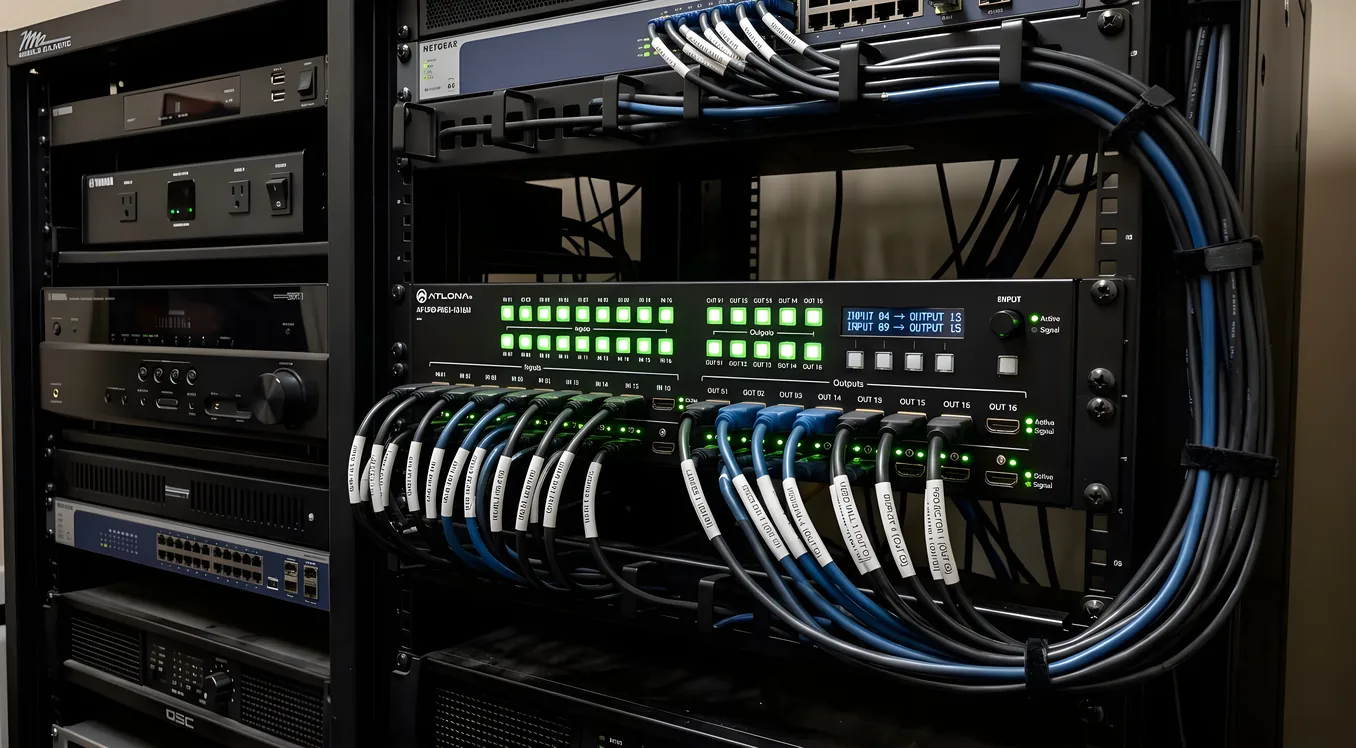
A splitter sends one source to every display in the house. A matrix switch does something more useful: it lets you send any input to any output, independently and simultaneously. With a 4x4 matrix, one person can watch a Blu-ray player in the living room while another streams cable in the bedroom, both pulling from the same rack of equipment.
That distinction is the foundation of any multi-room video system worth building. If you want true zone independence, a matrix switch is where you start.
How HDMI Matrix Switches Actually Work
Inside an HDMI matrix switch is a crosspoint switch fabric that creates a temporary, direct electrical path between any input and any output. The 4x4 model has four HDMI inputs and four HDMI outputs; each output can be assigned to any of the four inputs at any time, and those assignments are independent of each other.
The signal flows in real time. There is no buffering or re-encoding in a passive matrix (scaling and format conversion units work differently and add latency). Switch a zone from one source to another and the handshake takes a second or two as HDCP negotiation happens between the new source and the display.
Common form factors are 4x4, 8x8, and 16x16, referring to inputs by outputs. For most residential installations, 4x4 handles a four-source home well: cable box, streaming device, Blu-ray, and a gaming console feeding four zones. Custom integrators often spec 8x8 to leave room for expansion.
HDMI Cable Runs vs HDBaseT Distribution
Standard HDMI tops out around 25 to 50 feet before signal degradation becomes a problem, and premium high-speed cables can push that a little further. For most living rooms and bedrooms, that is fine. For a house where equipment sits in a centralized rack and displays are spread across floors or across a large property, it is not.
HDBaseT solves that problem by converting the HDMI signal and sending it over Cat5e or Cat6 Ethernet cable. Runs extend to 330 feet (100 meters), which covers nearly any residential layout. The receiver at the display end converts the signal back to HDMI. Many HDBaseT receivers also pass PoE (Power over Ethernet), which means the extender unit at the TV gets power from the rack, eliminating a local power supply at each zone.
An HDBaseT matrix switch combines the crosspoint routing with HDBaseT transmission in one box. You run Cat6 from the rack to each room and put a small receiver behind each display. This is the standard approach for whole-home AV installations where the equipment room is centralized.
For more on how this ties into broader whole-home AV distribution strategy, including speaker zones and streaming, that page covers the full architecture.
4K HDR: HDCP 2.3 and Bandwidth Requirements
4K content from streaming services and 4K Blu-ray discs is protected by HDCP 2.3, the current version of High-bandwidth Digital Content Protection. A matrix switch in a 4K pipeline must handle HDCP 2.3 end to end: every input port, every output port, and every HDBaseT transmitter and receiver in the chain.
Missing HDCP 2.3 compliance at any point causes the source device to downscale the output to 1080p or produce a black screen. This is the most common failure point in 4K matrix builds that were specified using 1080p equipment.
Bandwidth is the other specification to watch. Standard 4K HDR at 60Hz with HDR10 requires 18Gbps. 4K at 120Hz, 8K content, or Dolby Vision signals with DSC compression can require the 48Gbps HDMI 2.1 specification. Most residential matrix switches top out at 18Gbps (4K/60 HDR10), which covers streaming and disc playback. If the system includes a gaming setup targeting 4K/120 with VRR, a 48Gbps HDMI 2.1 matrix is needed, and those carry a significant price premium.
Brands Worth Knowing
Atlona manufactures professional AV distribution equipment and is common in commercial and high-end residential installations. Their matrix and HDBaseT line is well-supported, with reliable HDCP handling and deep control system integration.
WyreStorm focuses on the professional installer market with similar HDBaseT matrix products. Their ConfigManager software handles IP-based control setup.
Key Digital produces a range of HDMI matrix switches and HDBaseT extenders targeting the custom integration channel. Strong on 4K HDR compatibility documentation.
J-Tech Digital offers HDMI matrices at consumer-accessible price points. The 4x4 and 8x8 HDMI (non-HDBaseT) models are popular for DIY setups where cable runs stay short.
Monoprice Blackbird is the entry-level option for 4x4 HDMI matrix applications, often used in smaller setups or as a cost-effective starting point. Not recommended for professional installs requiring long-term vendor support.
Control: RS-232, IP, IR, and Automation Platforms
Basic matrix switches include IR remote control and front-panel buttons. These are adequate for simple setups but impractical in systems where the equipment rack is in a closet or equipment room, out of IR line-of-sight.
RS-232 serial control connects the matrix to a control processor with a standard serial cable. It is reliable and deterministic, widely used in commercial AV. IP control over Ethernet is increasingly common and does not require a dedicated serial run. Both protocols allow scripted control: change inputs on a schedule, route sources automatically based on trigger events, or respond to touch panel commands.
Professional automation platforms (Control4, Savant, Crestron) have native drivers for major matrix brands. When a homeowner taps “Watch Cable in Bedroom” on a touch panel, the automation system sends the appropriate routing command to the matrix, powers the display, selects the input, and sets the audio zone, all in a single macro. This integration is a major reason professional installers specify name-brand matrices rather than generic hardware: driver availability and the quality of that integration determine how reliably the system works day-to-day.
Audio De-Embedding
A matrix switch handles video routing, but many installations need audio to go somewhere different from the display. A family room with a dedicated sound system may want audio routed to a receiver or amplifier while video goes to a projector. A patio zone may want audio only, no display at all.
Audio de-embedding extracts the HDMI audio signal and outputs it separately, typically as TOSLINK optical or balanced XLR. The video continues to the display as normal while the extracted audio feeds a zone amplifier, AV receiver, or audio distribution system. Many HDBaseT matrices include de-embedding as a built-in feature; on basic HDMI matrices it may require an external de-embedder in the signal chain.
This connects directly to how the video distribution layer integrates with multi-zone audio. The whole-home AV distribution page covers how matrix video and audio distribution systems work together in a full installation.
Installation: Rack, Cat6, and Endpoints
In a standard professional installation, the matrix switch lives in a centralized equipment rack, usually in a utility room, closet, or dedicated media room. All source devices (cable boxes, streaming devices, Blu-ray, game consoles) connect to the matrix inputs via short HDMI cables. From the matrix outputs, HDBaseT transmitters (often built into the matrix chassis itself) send signals over Cat6 runs to each zone.
At each zone endpoint, an HDBaseT receiver connects to the display via a short HDMI cable. The Cat6 home runs need to be in place during construction or rough-in; retrofitting structured cabling after drywall is significantly more expensive. A proper installation plan includes a dedicated Cat6 run to each video zone, terminated at a patch panel in the equipment room.
See the wiring guide for specifics on conduit, run lengths, termination standards, and rough-in planning for AV systems.
HDMI Matrix vs AV over IP
An HDMI matrix switch has a fixed input and output count determined at purchase. An 8x8 matrix delivers 8 inputs and 8 outputs; adding a ninth zone requires replacing the matrix or adding supplemental equipment.
AV over IP systems encode the HDMI signal into IP video streams and distribute them over a managed network switch. Adding a zone means adding a decoder; adding a source means adding an encoder. The system scales without replacing central hardware. Multiple sources can also be multicast to unlimited endpoints simultaneously, something a matrix cannot do without complex additional routing.
The tradeoff is complexity. AV over IP requires a properly configured managed network switch (usually a dedicated AV VLAN), encoders and decoders at every source and display, and a video management controller to handle routing. In a 4-zone or 8-zone residential system, that complexity often outweighs the flexibility benefits. In a large estate, hotel, or commercial building with dozens of zones, AV over IP wins on scalability and cost per zone.
For a thorough comparison of distribution architectures, the AV over IP page covers encoding formats, latency considerations, and which network hardware the major platforms require.
What These Systems Cost
Entry-level 4x4 HDMI matrix (no HDBaseT): $300 to $600. Short cable runs only, no Cat6 extension. Suitable for equipment rooms adjacent to the zones they serve.
HDBaseT 4x4 matrix with receivers: $800 to $1,800 depending on 4K HDR compliance and control features. This is the residential sweet spot for a four-zone system with a centralized rack.
HDBaseT 8x8 matrix with receivers: $2,000 to $5,000. Pricing varies significantly by brand: installer-focused brands like Atlona and WyreStorm run toward the top of that range. Adds automation control integration and more robust HDCP handling.
Professional installed system (hardware plus labor): $5,000 to $15,000 for a typical residential installation including equipment rack, Cat6 home runs, endpoint receivers, control integration, and programming. Larger estates or systems with complex control requirements exceed this range.
The labor component reflects the Cat6 infrastructure, rack assembly, and automation programming, not just the matrix hardware. A custom integrator’s value in this work is system design, HDCP compatibility vetting, and programming the automation so the system actually behaves as expected when a homeowner uses it.