Room Correction Systems: Audyssey, Dirac Live, and YPAO Compared
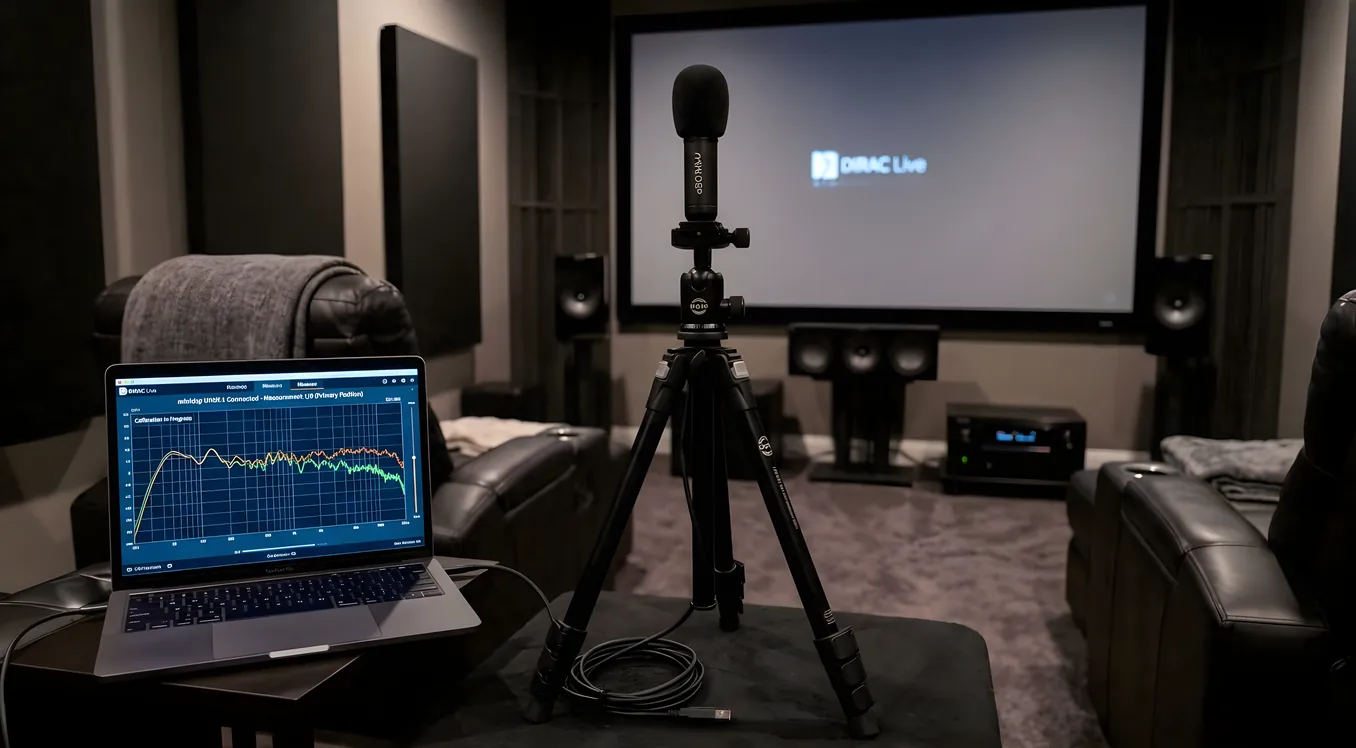
Your room is the biggest variable in home theater sound quality. Two identical AV receivers in two different rooms will sound completely different. Room correction software is the technology built into modern receivers (and available as an external processor) to close that gap, and not all implementations are equal.
This guide covers the major room correction systems available today, what separates them technically, and how to decide which matters for your setup.
What Room Correction Actually Does
Room correction software measures the acoustic response at your listening position and applies digital EQ to compensate for what the room adds or removes from the signal. The process works like this: a calibrated microphone is placed at one or more positions in the room, a test signal is played through each speaker, and the software analyzes the recorded response. It then applies filters to flatten the frequency response so that what your speakers produce more closely matches what your ears receive.
The result is audible. Bass modes that made low frequencies boom at one seat become more controlled. Frequency peaks that made certain instruments harsh get tamed. Crossed over subwoofers integrate more smoothly with the main speakers.
What room correction cannot fix is equally important to understand. RT60, which is the time it takes sound to decay by 60 dB, is set by the room’s physical materials. Early reflections from bare walls and glass surfaces create comb filtering that EQ cannot address. A room with poor acoustic treatment will still have those problems after calibration. Room correction handles frequency response. Acoustic panels, bass traps, and diffusers handle time-domain problems. Both have a role in a serious home theater setup, as the acoustics 101 primer on this site covers in depth.
Audyssey MultEQ XT32
Audyssey is the room correction system built into Denon and Marantz receivers across most of their lineup. The full-featured version, MultEQ XT32, supports up to eight microphone measurement positions and uses that multi-point data to calculate a correction curve that works reasonably well across a range of seats rather than only at a single listening spot.
The technical differentiator in MultEQ XT32 is its filter resolution. The XT32 designation specifically refers to the number of filter points applied: 32 points of correction in the bass range below 500 Hz, where room problems are most severe. Lower-tier Audyssey implementations (MultEQ X and basic MultEQ) apply fewer filter points and produce coarser corrections as a result. If you are comparing Denon or Marantz models, the receiver’s Audyssey tier is worth checking before purchase.
Audyssey also includes Sub EQ HT, which performs independent calibration on each subwoofer when you have two subs in the room. This matters because dual subwoofers in a home theater create their own interaction patterns, and a single correction applied to both combined will produce less accurate results than individual calibration. Sub EQ HT addresses this directly.
The limitation most Audyssey users run into is the target curve. Audyssey applies its proprietary target curve by default, which rolls off the treble to sound more natural in typical rooms. The problem is that the default curve is a take-it-or-leave-it setting in the receiver menu, and its exact shape is not visible or adjustable without a third-party tool.
Audyssey’s answer to this is the MultEQ Editor app, available for iOS and Android as a $20 in-app purchase. The app connects to your receiver over the local network and exposes the full Audyssey measurement data, including the ability to define a custom target curve, adjust the upper frequency limit for correction, and selectively disable correction on individual speakers. For serious users, the app effectively turns MultEQ XT32 into a far more capable tool than what the receiver menu exposes on its own.
Dirac Live
Dirac Live is the room correction system most frequently cited by audio engineers and serious enthusiasts as the current state of the art. It ships as the built-in system in NAD and Arcam receivers, is available on select JBL Synthesis and miniDSP processors, and has been added to a growing number of Denon and Marantz models as a paid upgrade alongside their existing Audyssey implementation.
The technical distinction that separates Dirac from other systems is mixed-phase correction. Most room correction systems apply minimum-phase filters, which are computationally simpler but can only correct the frequency magnitude of the room response. Dirac Live applies mixed-phase correction, which addresses both the frequency response and the time-domain characteristics of the room simultaneously. In practice, this means Dirac can correct the timing of bass energy in a way that minimum-phase EQ alone cannot.
Dirac’s calibration interface runs as desktop software (Windows and Mac) that connects to the processor or receiver. You take measurements at multiple positions using a connected USB microphone, and the software calculates the correction filters and pushes them to the hardware. The standard version of Dirac Live corrects the full frequency range. An additional module, Dirac Live Bass Control, extends correction specifically to the bass range and, on hardware that supports it, allows distributed bass management across multiple subwoofers for more uniform low-frequency response throughout the room. This module is sold separately and varies in price by hardware partner.
Because Dirac is licensed software that manufacturers integrate independently, the quality of the implementation depends on the receiving hardware. A Dirac-capable miniDSP processor gives you full manual control over the calibration. Dirac in a budget receiver may have processing constraints that limit what the filters can accomplish.
YPAO (Yamaha Parametric Room Acoustic Optimizer)
Yamaha’s YPAO system ships on most of their AV receiver lineup. Mid-range and upper receivers include the expanded version, YPAO-R.S.C. (Reflected Sound Control), which adds analysis of early reflections from side and rear walls.
Standard YPAO takes a single measurement position. YPAO with multi-point measurement, available on higher Yamaha models, supports up to eight positions similar to Audyssey XT32. The multi-point version produces a correction curve that accounts for variation across the listening area rather than optimizing only for a single seat.
YPAO’s target curve handling is more open than Audyssey’s default experience: Yamaha’s receiver menus expose EQ adjustments after calibration, and the YPAO curve can be adjusted directly through the receiver’s interface without a separate app. The system is solid and well-regarded in the Yamaha ecosystem, though it lacks the mixed-phase correction that distinguishes Dirac Live.
MCACC (Pioneer/Onkyo)
MCACC, used in Pioneer and Onkyo receivers, is a functional room correction system that handles the basics: distance, level, and EQ calibration for each speaker. Advanced MCACC on higher-tier models extends the process with phase correction and more measurement positions. It is a capable implementation for the price tier where it typically appears, though it has not evolved as significantly as competing systems in recent years as Pioneer and Onkyo have consolidated.
Anthem Room Correction (ARC Genesis)
Anthem Room Correction, available in Anthem’s AVM and MRX series processors and receivers, takes a different design approach. Where most systems target budget-to-midrange equipment, Anthem products occupy the upper end of the AV receiver market, and ARC Genesis is designed specifically for that context.
ARC Genesis uses a PC-based measurement tool, takes measurements at multiple positions, and applies correction using a target curve designed around Anthem’s own research. It includes speaker analysis that identifies the speaker’s characteristics separately from the room’s effects and calibrates accordingly. Anthem products include a calibrated microphone in the box, and the ARC Genesis software is free. The system has a strong reputation among custom installers working on dedicated home theater rooms.
Feature Comparison
| System | Platform | Measurement Positions | Bass Management | Target Curve Editing | Phase Correction |
|---|---|---|---|---|---|
| Audyssey MultEQ XT32 | Denon, Marantz | Up to 8 | Sub EQ HT (dual subs) | MultEQ Editor app ($20) | Minimum-phase |
| Dirac Live | NAD, Arcam, miniDSP, Denon/Marantz (paid add-on) | Up to 9 | Bass Control module (add-on) | Full curve editor in desktop app | Mixed-phase |
| YPAO R.S.C. | Yamaha | Up to 8 | Standard | In-receiver menu | Minimum-phase |
| MCACC Advanced | Pioneer, Onkyo | Up to 6 | Standard | Limited | Partial phase |
| ARC Genesis | Anthem | Up to 9 | Yes | Full curve editor | Minimum-phase |
External Room Correction: miniDSP and REW
If your receiver does not include a competitive room correction system, or if you want correction at a quality level above what any receiver-based system provides, external processing is an option.
The miniDSP DDRC-24 is a standalone digital signal processor that accepts stereo or multichannel input and output, sits in the signal chain between your processor and amplifiers, and runs Dirac Live. This configuration puts Dirac Live in any system, regardless of the receiver brand, and is a common solution for two-channel systems and for home theater setups where the receiver predates modern room correction.
REW (Room EQ Wizard) is free measurement software that, combined with a calibrated microphone and a parametric EQ capable receiver or processor, allows fully manual room correction. This approach has no automation layer and requires understanding of what you are doing, but gives complete control and costs nothing beyond the microphone. REW is also useful for verifying what any automated system actually did to your response after calibration.
Calibrated Measurement Microphones
Every room correction system requires a microphone. What you get in the box varies significantly.
Audyssey includes a basic omnidirectional microphone adequate for the calibration process. Anthem includes a calibrated microphone with individual calibration data specific to that unit. The calibration data is used by ARC Genesis to compensate for any frequency response deviation in that specific microphone, which improves measurement accuracy.
For Dirac Live, NAD and Arcam typically include a calibrated microphone. If you are using Dirac on miniDSP hardware, you will often need to supply your own.
Aftermarket options are widely used. The UMIK-1 (USB) and UMIK-2 (USB-C) from miniDSP are calibrated measurement microphones with individual calibration files available for download. They work with REW and with Dirac Live’s desktop software. Users who want more accurate measurements than the included microphone provides often switch to a UMIK as an upgrade step.
What Room Correction Cannot Fix
Room correction is an EQ tool. It addresses the magnitude of the frequency response at your measurement position. It does not address:
RT60 and decay time. If your room rings at 80 Hz for 1.5 seconds, room correction can reduce the magnitude of that frequency, but the ringing itself persists. The physical treatment required is bass absorption in the corners and along boundaries where bass builds up.
Early reflections. A first reflection from a bare side wall arriving 8 milliseconds after the direct sound creates comb filtering. EQ cannot separate the reflection from the direct sound; the frequencies overlap in ways that vary by listening position. Acoustic panels at the first reflection points address this.
Seat-to-seat variation beyond the measurement positions. Correction curves are calculated from your measurement set. A seat outside the measured area receives whatever correction happens to apply there, which may be better or worse than the primary position.
Speaker placement problems. Room correction will not rescue a subwoofer placed in a corner where it excites every room mode simultaneously. Better placement reduces the problem before correction is applied. Understanding how placement affects bass modes, and knowing what a subwoofer setup actually requires, matters before reaching for the microphone.
Choosing the Right System for Your Setup
The system in your AV receiver is likely your starting point, and it is usually good enough to get meaningful results. If you are buying a new receiver and room correction quality matters to you, Dirac Live’s mixed-phase correction makes it the technically superior choice for rooms where time-domain bass problems are present, and it is increasingly available in the Denon and Marantz lineup as a paid upgrade.
Audyssey MultEQ XT32 with the MultEQ Editor app is competitive for the price and extremely common. YPAO on Yamaha’s upper receivers is solid and more accessible through the in-receiver interface than Audyssey’s default experience. Anthem’s ARC Genesis stands apart in the premium receiver segment.
The honest caveat: room correction at its best gets you roughly 80% of the way toward correcting what the room does to your sound. The remaining 20% comes from physical treatment. Both matter, and one does not substitute for the other.